

What Is Email Automation? The Complete Guide for Small Businesses

Email automation uses triggers and context to send timely, relevant messages automatically, helping small businesses manage leads, onboarding, follow-ups, and engagement efficiently.

What Is Email Automation? The Complete Guide for Small Businesses
Brandset TeamBrandset Team17 min de leitura

A new lead fills out a form while you're working with a client. Someone joins your newsletter while you're asleep. A customer needs onboarding information the morning after a purchase. A subscriber stops engaging with your emails.

None of those moments waits for someone on your team to notice. That is the practical reason email automation exists.

Email automation is the use of predefined triggers, timing, and customer context to send relevant emails without manually initiating every message. Forbes Advisor describes drip campaigns as automated email sequences that begin after a particular customer action or according to a predefined timeline — welcome sequences, post-purchase communication, and other lifecycle messages are common examples.

In short:

  • The email sending itself isn't the interesting part: The useful work happens earlier — deciding in advance what communication should happen when a predictable moment occurs.

  • Triggers need context, not just events: A click or a page visit is a signal, not proof of intent. The interpretation is still a marketing decision.

  • Behavior-based automation is powerful and easy to overdo: More branches and conditions don't automatically mean more relevance — they can just mean more ways to get the timing wrong.

  • Automation makes mistakes consistent too: A badly designed sequence can annoy every contact who meets the trigger for months before anyone reviews it.

For a small business, automation can remove a surprising amount of repetitive follow-up without giving up control over what customers actually receive.

How Email Automation Works

Most email automation starts with a simple idea: something happens, the system recognizes it, and a predefined response follows.

Someone subscribes to an email list — that signup can begin a welcome sequence. A customer reaches a particular stage in a process — a useful email can be scheduled for that point. A contact meets criteria the business has defined — a different communication path becomes relevant.

Forbes Advisor distinguishes between trigger-based sequences, which respond to actions such as signing up or purchasing, and time-based sequences, which follow a predetermined schedule. More sophisticated systems add conditions between the event and the response — a business might want one path for a new subscriber and another for an existing customer, or treat people interested in one service differently from people interested in another.

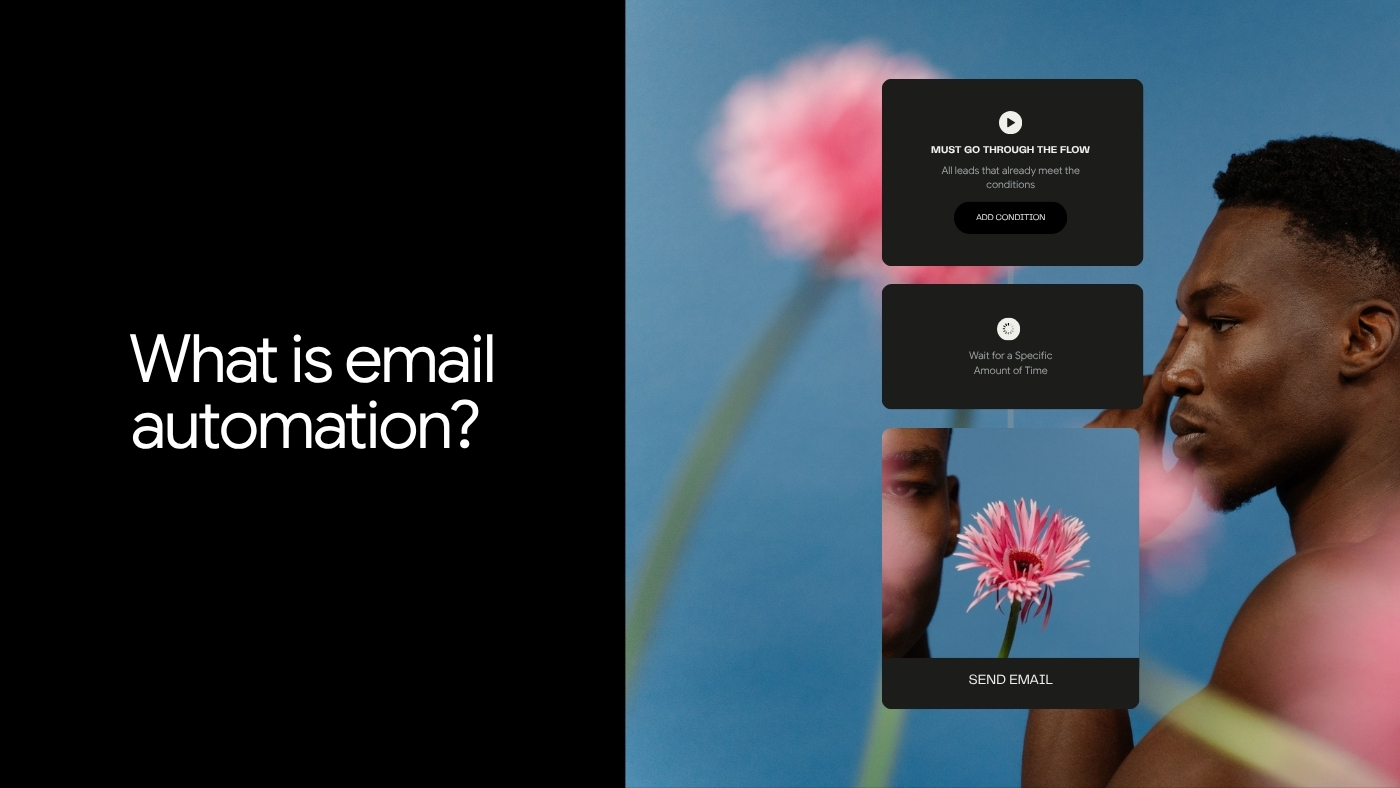
The basic structure is trigger → context or condition → action. The technology handles execution. The business still decides what the logic means.

Timing Is One of Automation's Biggest Advantages

A manually written email can be perfectly thoughtful and still arrive too late, because customer context changes. Someone who just requested a guide is in a different moment than someone who downloaded it three months ago. A customer immediately after purchase has different questions than one approaching renewal.

McKinsey's research on personalization emphasizes both customer signals and timing, recommending that businesses identify meaningful behaviors and respond quickly with communication that fits the situation rather than treating every interaction the same way. Automation makes that kind of consistency possible without requiring someone to monitor every contact manually.

The timing still needs judgment, though. An immediate confirmation after someone requests a resource makes sense. An immediate sales pitch after someone reads one blog post usually doesn't. Automation gives you the ability to respond — it doesn't tell you when a response is appropriate.

Start With Moments That Are Predictable

Small businesses often approach automation by asking "what can we automate?" A better starting question is: which customer moments happen repeatedly enough that we should design them once, rather than handle manually every time?

A few patterns show up across most businesses.

1. Welcome Sequences

Someone has actively chosen to hear from you. That's a useful moment to establish the relationship. Forbes Advisor recommends a welcome series as a way to introduce new subscribers and deliver the information or resource promised at signup.

A welcome sequence doesn't need seven elaborate emails. A simple version delivers what was promised, explains what the subscriber can expect, introduces the business, and provides a useful next step. Consider someone who subscribes to "one practical email every Friday about running a small business." The first automated email could confirm the subscription, explain what arrives on Fridays, and point them toward one useful resource. The purpose is orientation — helping the subscriber understand the relationship they just entered.

What this looks like as a flow:

WELCOME SEQUENCE

Trigger: New subscriber joins the list
        ↓ immediately
Email 1: Confirm subscription + set expectations
         "You'll get one practical email every Friday.
          Here's what to expect."
        ↓ 2-3 days later
Email 2: Deliver the single most useful resource
         "Here's the guide most new subscribers read first."
        ↓ 5-7 days later
Email 3: Invite a reply or point to a next step
         "What are you working on right now?"
        ↓ ongoing
Enters regular sending cadence

Three emails, three specific jobs — orient, deliver value, invite engagement. Nothing about this requires branching logic or a sophisticated platform. It requires deciding what those three emails should say once, and then letting the trigger handle the rest.

2. Lead Nurture Sequences

A lead doesn't always become a customer immediately. Some need more information, some are comparing alternatives, some are interested but not ready to act. A nurture sequence lets the business prepare useful communication for that middle part of the journey. Forbes Advisor includes automated drip campaigns and email follow-ups among the tools businesses use while prospects are evaluating their options.

For a bookkeeping service, a nurture sequence might explain how onboarding works, address common questions about switching providers, show a relevant client example, and eventually invite the lead to request a consultation. The sequence should correspond to real questions a prospective customer might have — not exist merely because the software allows five emails instead of one.

3. Resource Delivery and Follow-Up

Someone requests a checklist, template, report, or guide. The first automation has an obvious job: deliver it. The next email should earn its place.

Suppose someone downloads "The Small Business Email Authentication Checklist." A sensible follow-up could explain one difficult part of SPF, DKIM, or DMARC and link to a deeper resource. An unrelated promotional email ten minutes later would technically be automated — it wouldn't be particularly relevant. This distinction matters because Google's guidance for commercial email emphasizes sending messages people actually asked for, setting expectations about what they'll receive, and using a frequency the audience is likely to find reasonable. Automation should preserve the expectation created at signup.

What this looks like as a flow:

RESOURCE DELIVERY + FOLLOW-UP

Trigger: Form submission — "Email Authentication Checklist"
        ↓ immediately
Email 1: Deliver the checklist
         Link to the resource, one line of context,
         no additional ask
        ↓ 3-4 days later
Email 2: Go deeper on the hardest part
         "Most people get stuck on DMARC alignment —
          here's the short version"
        ↓ ongoing
Tagged as "downloaded: authentication checklist,"
enters regular nurture cadence with that context intact

The tag captured at the trigger is what makes the second email feel like a continuation instead of an interruption. Without it, email 2 has no way to know why this particular contact would care about DMARC in the first place.

4. Customer Onboarding

The sale is not the end of the customer journey — for many products and services, it's the beginning of the most operationally important part. A customer may need to know how to get started, what happens next, where to find something, who to contact, and what to do first.

Automated onboarding can deliver predictable information consistently while leaving unusual questions for a person. A software company might send account setup guidance. A consultant might explain the kickoff process. An agency might send preparation instructions before the first strategy call. The goal isn't to automate the relationship — it's to make sure customers receive information that shouldn't depend on somebody remembering to send it.

5. Re-Engagement

Some subscribers eventually stop interacting. That's normal — people change jobs, priorities, inboxes, interests, and needs. A re-engagement workflow gives the relationship a deliberate checkpoint instead of allowing an inactive audience to grow indefinitely, whether that means asking whether the subscriber still wants the emails, offering preference options, or giving them a straightforward way to leave.

Google specifically recommends sending only to people who want your messages, setting clear expectations about email frequency, and making it easy to unsubscribe. There's no universal rule that a subscriber should enter re-engagement after exactly 60 or 90 days — define inactivity according to your own cadence and business. A daily newsletter and a quarterly service update shouldn't use the same definition.

Behavior Can Improve Relevance, but It Does Not Reveal Intent Perfectly

Behavior-based automation is attractive because it feels precise: someone clicked something, therefore send something. The problem is the word therefore. A click is an event. The interpretation is still a marketing decision.

McKinsey's work on personalization describes customer behavior as a useful signal for tailoring communication and emphasizes responding with messages that fit the context — while warning that personalization can become intrusive or annoying when businesses respond too frequently, too aggressively, or without enough relevance. Suppose someone visits a pricing page. That doesn't automatically mean "send a sales email immediately." It may mean the person is actively evaluating the offer. It may also mean they were simply looking for basic information. One event should rarely be treated as mind reading — behavior becomes more useful when interpreted alongside other context.

Do Not Build Important Automation Around Opens Alone

Email opens deserve special caution. Many automation platforms can use opens as engagement signals, but an open is no longer a clean measure of whether a person actually read a message. Apple's Mail Privacy Protection can download remote email content in the background regardless of whether the recipient engages with the message — and because conventional open tracking often relies on that remote content loading, some recorded opens don't represent a human opening the email.

That makes rules such as "if opened → highly interested" much less reliable than they appear. Clicks, form submissions, purchases, replies where available, and other intentional actions generally provide stronger context. Open data can still be useful directionally. It shouldn't carry more certainty than the underlying measurement supports.

A Real Small-Business Example: Automating the Follow-Up You Keep Forgetting

The value of automation becomes easier to understand when the problem is ordinary.

Business Insider profiled Liane Agbi, founder of boutique web design studio Beautifuli Digital, who described how manually nurturing leads required remembering to follow up, copying templates, and rereading previous conversations to rebuild context. She began using tools in her CRM to streamline and personalize that outreach while continuing to review messages before sending them. Agbi reported a 25% increase in new business from abandoned contacts and dormant client relationships after changing the process.

That's one entrepreneur's reported result, not a benchmark every small business should expect. The workflow is more interesting than the percentage. The problem wasn't an absence of leads — it was the operational difficulty of consistently returning to conversations that still had potential. Automation reduced that manual burden while the owner retained judgment over the communication. That's a useful model for small businesses more broadly.

Good Automation Starts With Context, Not Complexity

It's easy to draw a sophisticated workflow. If this happens, branch here. If that happens, wait three days. If they click, branch again. If they don't click, score them, then send another message. Soon the diagram looks like an airline route map.

Complexity is only valuable when the customer journey actually requires it. Start with questions you can answer confidently: what happened, what does the person probably need next, what information do we genuinely have, what expectation did we establish, what should happen if they do nothing, and when should a person take over. McKinsey's guidance on personalization at scale makes a similar point — technology is useful, but effective personalization depends on choosing meaningful customer signals and designing appropriate responses around them. The workflow should represent a real process, not software enthusiasm.

Automation Should Not Remove Useful Human Contact

Some interactions are predictable enough to automate almost entirely — a confirmation email is a good example. Other interactions become less predictable as they become more consequential. A prospect negotiating a large contract may need a person. A customer reporting a complex problem may need a person. A lead asking detailed questions about whether a service fits their situation probably needs a real response.

Automated email is strongest around repeatable communication. Human judgment becomes more important as context, risk, emotion, or nuance increases. The goal is to use each where it performs best.

Personalization Is More Than Adding a First Name

Automation and personalization are often discussed together, which can lead to superficial implementation. "Hi {{first_name}}" is technically personalized. It may have almost no effect on relevance.

More useful personalization reflects genuine differences in the relationship. A new subscriber can receive an introduction. An existing customer doesn't need to be sold the product they already bought. Someone who explicitly requested information about Service A shouldn't automatically receive a sequence centered on Service B. McKinsey defines personalization as tailoring messages based on customer data and argues that useful personalization depends on understanding behavior, customer journeys, and relevant signals. The objective isn't to demonstrate how much data you have. It's to make the communication make more sense.

Automation Can Become Spam at Scale

The same technology that makes useful email easier can make bad email easier too. A badly designed manual sequence may annoy a few people. A badly designed automation can annoy every person who meets the trigger for months before anyone reviews it.

McKinsey notes this risk directly: automation software can produce communication customers perceive as spam when the underlying signals and messages are poorly designed. This is why every automation should answer a few questions honestly. Why is this person receiving this email? Would that reason make sense to them? Does the message add something useful? How often might this workflow contact the same person? What stops the automation when the context changes? Automation improves consistency. It also makes mistakes consistent.

Automation does not change the basic rules of responsible email marketing. Promotional email still needs an appropriate permission basis. People should understand what they subscribed to. Unsubscribing should be easy.

Google's sender guidance recommends clear opt-in, accurate sender identity, reasonable frequency, useful messages, and straightforward unsubscribe options. For bulk promotional senders to personal Gmail accounts, one-click unsubscribe is a technical requirement, alongside authentication and other sender requirements. The fact that a workflow can send an email doesn't mean the business should send it. Permission and relevance come first.

Email Automation Also Depends on Deliverability

A perfectly designed workflow is useless if the messages don't reach recipients reliably. Email authentication has become basic sending infrastructure. Google requires senders to personal Gmail accounts to authenticate mail with SPF or DKIM, and bulk senders have additional requirements including SPF, DKIM, DMARC, domain alignment, and one-click unsubscribe for marketing and subscribed messages.

Authentication doesn't guarantee inbox placement. It helps receiving systems verify that messages are legitimately associated with the sending domain and is part of what legitimate senders are expected to meet. Small businesses don't need to become deliverability engineers — they should make sure their sending setup is correctly configured before building a large automation program on top of it.

The Metrics Should Match the Job of the Automation

Do not evaluate every workflow with the same metric. A resource-delivery email needs to successfully deliver the resource. A nurture sequence may be designed to generate qualified next steps. An onboarding sequence may be intended to help customers activate successfully. A re-engagement sequence may be evaluated by meaningful renewed engagement, or by how effectively it identifies contacts who no longer want the emails.

Open rate can provide limited directional context, with the privacy limitations already discussed. Clicks show deliberate interaction. Conversions connect the workflow to the intended business action. Unsubscribes and spam complaints tell you something about audience response as well. The most useful question is simpler than any single metric: did this automation accomplish the job we designed it to do, without damaging the relationship around it? That's more informative than chasing a universal automation benchmark.

Review Automations Like You Review Campaigns

Automation can create a false sense of permanence. You build it once, it works, and nobody looks at it for eighteen months. Meanwhile the product changes, pricing changes, the team changes, links break, screenshots become outdated, a lead magnet gets replaced, and brand positioning evolves. The automation keeps sending yesterday's version of the business.

Set a review rhythm. Read the entire sequence as a subscriber would. Click every link. Check the timing. Review who enters and who should no longer enter. Confirm that the next step still exists. Automation reduces repeated execution. It does not eliminate maintenance.

Start With Three Automations You Can Actually Maintain

A small business does not need a giant lifecycle map on day one. Start with the moments where manual execution is already causing problems. A practical foundation could be a welcome sequence for people who intentionally join your audience, a follow-up sequence connected to one important lead source or resource, and a customer onboarding sequence for information every new customer consistently needs.

Those three already cover acquisition, consideration, and the beginning of the customer relationship. Once they work, look for the next repeated process — perhaps re-engagement matters, perhaps there's a second product or service with a genuinely different journey, perhaps a manual follow-up keeps being missed. Build from evidence.

The Real Constraint Is Usually the System Around the Email

The email itself is rarely the most complicated piece. Someone first has to enter the system — that often happens through a form, landing page, website, purchase, import, or another customer interaction. The contact needs to retain enough context for the business to know why they're there. The automation needs access to that context. The message needs the correct brand and content. The result needs to be visible somewhere.

When those pieces live in several disconnected systems, somebody has to keep the connections working. Business Insider's reporting on marketing technology has highlighted this broader problem at larger companies as well: fragmented stacks and integration complexity can make it difficult for organizations to turn marketing technology into measurable business value. A small business experiences the same underlying problem at a different scale. The form works. The CRM works. The email platform works. The automation tool works. The difficult part is making them behave like one process.

Where Brandset Fits

Brandset brings Email Marketing, Forms, CRM, Landing Pages, Brand Center, and automation capabilities into the same broader marketing environment. That matters because email automation depends on context before it depends on complexity. A form needs to create or update the right contact. The business needs to know where that person entered the relationship. Email needs to remain consistent with the brand. Automation logic needs access to the information required to decide what happens next.

Keeping more of that work together reduces the number of handoffs a small team has to maintain between separate tools. The Brand Center also keeps information such as voice, positioning, audience context, products, services, colors, and typography available across the marketing work, so an automated sequence doesn't feel like it came from a different company.

Automation still requires decisions. What should trigger the workflow? Who belongs in it? What should happen next? When should it stop? When should a person take over? Brandset makes the operational side easier to manage. The judgment remains yours.

Start your 7-day free trial →

FAQ - Perguntas frequentes