

Email Marketing for Small Businesses: 11 Practical Tips That Actually Move the Needle

Discover 11 actionable email marketing tips for small businesses, focusing on relationship-building, deliverability, segmentation, automation, and list hygiene for real results.

Email Marketing for Small Businesses: 11 Practical Tips That Actually Move the Needle
Brandset TeamBrandset Team16 min de leitura

Email marketing becomes difficult when every problem is treated as a copy problem. Open rates fall, so the subject line gets rewritten. Clicks fall, so the button changes. Sales slow down, so another promotion goes out.

But small-business email usually succeeds or fails much earlier than that. Who joined the list? What did they expect? Why are you emailing them now? Is the message relevant to their current relationship with the business? What happens after they click? Can they leave easily when the relationship stops being useful? Those decisions shape the performance of everything that comes afterward.

For a small business with a limited audience and limited time, that matters. You cannot compensate for a weak email system simply by sending more.

In short:

  • Most email problems are context problems, not copy problems. Rewriting the subject line rarely fixes a message sent to the wrong audience at the wrong moment.

  • Permission is strongest when expectations are understandable. "Join our newsletter" tells people what button they're pressing. It doesn't tell them what they're agreeing to.

  • Automation needs exit rules as much as entry rules. The most common automation failure isn't a bad trigger — it's a workflow that never learned when to stop.

  • Open rate can no longer carry the weight it once did. Apple's Mail Privacy Protection and Gmail's own admission that it doesn't track sender opens mean clicks, conversions, and replies deserve more of your attention.

These 11 tips focus on the parts of email marketing that create leverage: permission, relevance, segmentation, deliverability, automation, measurement, testing, and the relationship you're building over time.

1. Write for a Specific Person in a Specific Situation

An email list is an operational concept. Nobody experiences your email as "the list." They experience one message, in one inbox, at one particular moment. That should affect how you write.

Compare "We wanted to share some tips with our community about improving website performance" with "If your website gets traffic but very few inquiries, start by checking what visitors see before they scroll." The second version has a reader and a situation. Before writing, define both — "a freelancer who downloaded our pricing guide but hasn't requested a consultation," or "a customer who bought once and hasn't returned." Those situations contain context, and context changes the message.

McKinsey's personalization research describes the same broader principle: useful personalization begins with customer data, behavioral signals, and an understanding of where someone is in the customer journey. You don't need to create a unique email for every subscriber. You do need to stop pretending every subscriber is in the same situation.

Before writing, answer three questions: Who is this for — not the entire database, but the relevant audience? What do they already know — a customer and a new prospect shouldn't need the same introduction? And what would make this email useful right now? That answer becomes the foundation of the message.

2. Make the Signup Promise Specific

The quality of your email program starts before the first email. It starts at signup. Compare "Join our newsletter" with "Get one practical email every Friday about running your marketing with a team of one." The first describes the mechanism. The second describes the relationship. Specific signup language helps people decide whether they actually want what you send.

Google's sender guidance recommends obtaining clear opt-in, setting expectations about email frequency and content, and sending messages recipients actually want — which makes your signup form part of your email strategy, not just a data-collection step. Tell people what they'll receive, what kind of content belongs there, how frequently you expect to email, and what they're getting immediately, if anything. For a lead magnet, "Get the Small Business Website Conversion Checklist, plus practical website and marketing guidance from us by email" is clearer than collecting an address for a "free download" and quietly beginning a completely different promotional relationship afterward. Permission is strongest when expectations are understandable.

3. Treat Deliverability as Marketing Infrastructure

Email can't perform if the underlying sending setup is weak. Google requires senders to personal Gmail accounts to meet requirements covering authentication, DNS, TLS, message formatting, and spam complaints, with senders above Gmail's bulk threshold facing additional SPF, DKIM, DMARC, alignment, and unsubscribe requirements. You don't need to become an email infrastructure specialist, but you should understand the basic pieces: SPF helps identify systems authorized to send mail for a domain used in the delivery process, DKIM adds a cryptographic signature that receiving systems can validate, and DMARC connects authentication with the visible From domain through alignment while letting domain owners publish a policy for authentication failures. None of this guarantees inbox placement — it establishes part of the technical foundation legitimate senders are expected to have.

Recipient behavior matters just as much. Google monitors user-reported spam, recommending senders keep spam rates below 0.1% and avoid reaching 0.3% or higher. Those numbers shouldn't become targets to approach — they show that recipient dissatisfaction has technical consequences. If people repeatedly tell Gmail your messages are unwanted, a better headline won't solve the underlying problem. And don't buy lists. Google explicitly advises senders not to purchase email addresses or send subscription messages to people who didn't sign up for them. A larger unpermissioned list isn't a marketing asset. It's an audience-quality problem.

4. Build a Relationship Before Every Email Becomes an Ask

A small business often begins emailing most aggressively at exactly the wrong moment — when it needs revenue. The list hears very little for weeks, then: sale, offer, launch, promotion, book a call. The problem isn't that promotional email is bad. People subscribe to businesses knowing they may eventually receive commercial messages. The problem is when commercial asks become the only reason the business appears.

There's no universal rule requiring three educational emails for every promotional one, or a fixed 80/20 content ratio — those formulas sound precise without knowing anything about the business. A retailer may legitimately send product-led communication frequently because new products are the content subscribers requested. A research newsletter may rarely promote anything. The useful principle instead: give people enough ongoing value that the relationship makes sense even between buying moments — practical education, useful product guidance, genuinely interesting curation, relevant company updates, thoughtful offers. Forbes Advisor's email guidance similarly emphasizes permission, consistency, relevance, and delivering value rather than reducing email strategy to promotional frequency formulas. The commercial message should make sense in the relationship that came before it.

5. Segment Before the List Becomes Complicated

Segmentation doesn't become useful only after you have 50,000 subscribers. A small list can contain very different people. Imagine 500 contacts: 100 downloaded a pricing guide, 80 are existing customers, 150 subscribed to the newsletter, 70 came through a webinar, 100 joined a waitlist. Treating all 500 as one audience throws away information you already have.

Forbes Advisor recommends beginning segmentation early, including simple tags or groups based on signup context, engagement, interests, or other relevant characteristics. McKinsey takes the principle further: combining behavioral information with customer journeys can make marketing communication more relevant than relying only on broad demographic categories.

Dimension

Answers

Source

How did the relationship begin?

Interest

What topic, product, service, or resource brought them in?

Customer status

Prospect or customer?

Lifecycle stage

New subscriber, active lead, customer, past customer?

Explicit preferences

What did the subscriber tell you they care about?

Meaningful behavior

What relevant actions have occurred?

That last category requires caution. Behavior is evidence, not certainty. A person who visits pricing once isn't automatically ready for a sales sequence. Someone who downloads one guide isn't necessarily interested in everything related to that topic. Use behavior to improve relevance before using it to increase pressure.

6. Design Emails for Reading, Not for the Email Editor

An email can look beautiful at 1,400 pixels wide inside a campaign builder and become frustrating on an actual phone. The real design test happens in the inbox. Forbes Advisor recommends mobile-first consideration and testing marketing email across devices rather than assuming the desktop editor represents what recipients will experience.

Start with the message. Put useful information early — instead of "We hope you're having a great week and are excited to share an important update with our amazing community," try "You can now duplicate an entire landing page without rebuilding each section." The second version gives the reader information immediately. Use visible hierarchy to distinguish the main idea, supporting information, the CTA, and secondary material. Keep paragraphs readable — short paragraphs help on narrow screens, but don't turn every sentence into a separate line just to create artificial rhythm. Readable prose still matters.

A focused campaign benefits from a clear primary action, though that doesn't mean every email must contain exactly one link — a newsletter may contain several articles, a product update may need a documentation link. Hierarchy matters more than arbitrary CTA counts. And make CTA language useful: "Learn more" versus "Read the full guide," "Submit" versus "Reserve my seat." Google recommends clear calls to action and link or button language that accurately describes the destination.

7. Use Automation for Predictable Customer Moments

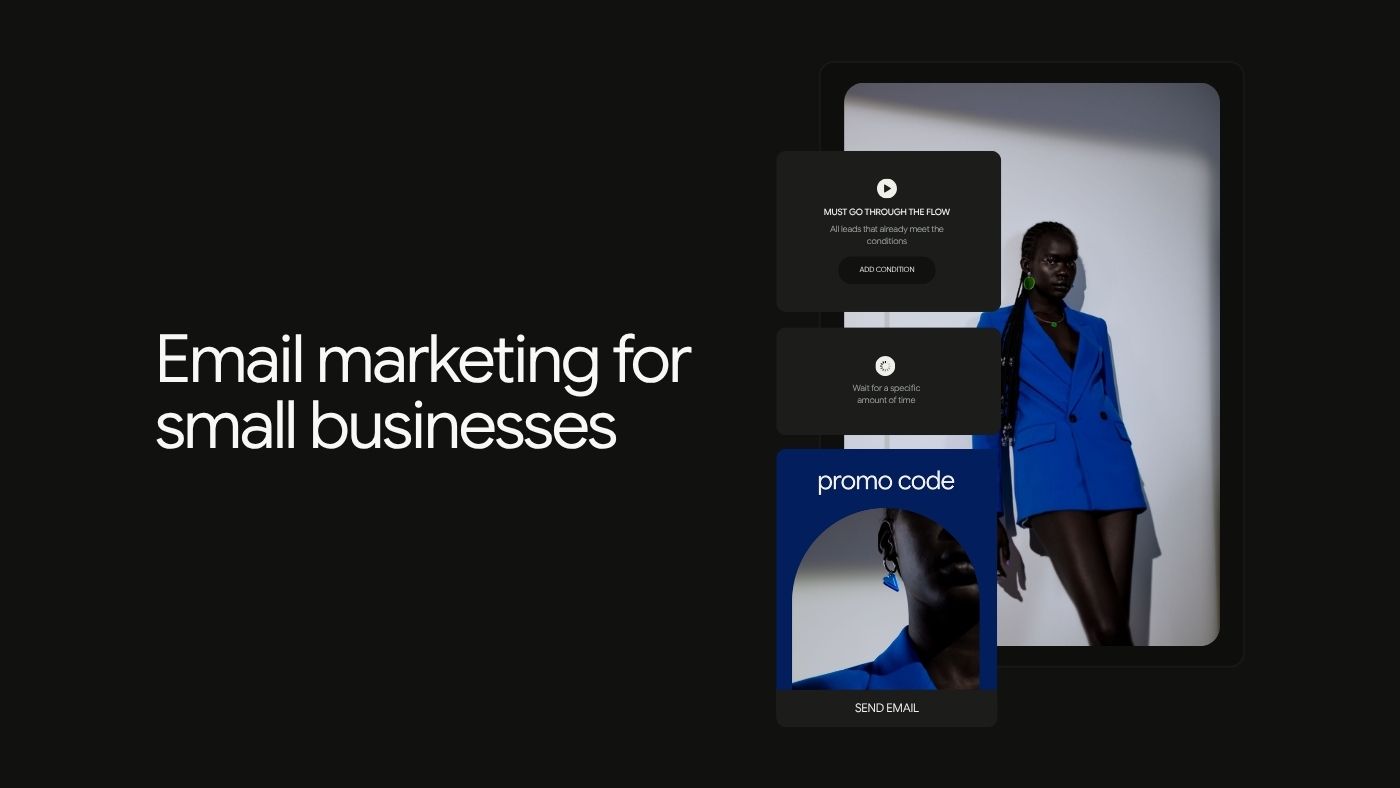
Automation is valuable when a communication need is repeatable — not because automation itself is sophisticated. A few examples make sense for most small businesses: a welcome sequence when someone joins the list (whatever was promised, context about who's sending, expectations for future communication); resource delivery when someone requests a guide or template (deliver it immediately and clearly, then decide whether additional communication genuinely follows from what they requested); customer onboarding when someone becomes a customer (instructions, reassurance, access information, education — not another acquisition sequence); and relevant follow-up when a meaningful event happens and a prepared response makes sense.

McKinsey describes personalization as listening for customer signals and responding with relevant communication, while warning that automation can easily become spam when businesses respond to signals badly. That warning matters — a click is not a command to sell harder, and a page visit is not proof of intent. Automation should be designed around context, not surveillance.

One of the most important automation rules is often the one nobody writes down: when should this stop? If someone buys, do they remain in the sales nurture trying to convince them to buy? If they unsubscribe, can another workflow accidentally continue sending promotional messages? Entry rules make automations start. Exit rules make them intelligent.

8. Stop Treating Open Rate as the Truth

Open rate is still useful. It's also frequently misunderstood. Apple's Mail Privacy Protection downloads remote email content in the background regardless of whether the user interacts with the message — since conventional open tracking commonly depends on remote content being loaded, some recorded opens don't represent a person deliberately opening the email. Gmail also states that it doesn't track sender open rates and can't verify third-party open-rate accuracy. So a 42% open rate does not mean 42% of subscribers read the email.

Use opens as directional context, then move closer to intentional behavior. Clicks are stronger evidence — did someone deliberately interact with something, even though they still require interpretation? Conversions tell you whether the person took the action the campaign existed to encourage: purchase, register, download, request a quote, start a trial. Replies, for newsletters or founder-led communication, can reveal more than another dashboard percentage. Unsubscribes are normal in some volume — watch changes and patterns rather than treating one universal benchmark as a law. And spam complaints deserve serious attention, since Gmail explicitly uses user-reported spam as part of its sender requirements. Eventually email should connect with business outcomes — revenue, qualified leads, repeat purchases, customer activation, registrations, retention. The correct metric depends on the job of the email.

9. Let Email and Social Do Different Jobs

Email and social media don't need to compete. They solve different distribution problems — social can help new people discover you, and email can continue a relationship after someone decides they want more. That creates a useful loop.

Going from social to email, give followers a specific reason to subscribe. "Join our mailing list" is weak. "Every Friday, I send one teardown of a small-business website and explain what I'd fix first" describes something worth subscribing to. A Link in Bio or dedicated landing page can give that offer a focused destination rather than making visitors search through a general website.

Going the other direction, email can reveal what the audience actually cares about. Look at replies, questions, useful clicks, content requests, and recurring objections — those observations can shape future social content. An email question that generates ten thoughtful replies may contain three weeks of useful public content. Just preserve the distinction between the two channels. Don't copy every social post into the newsletter, and don't turn the newsletter into a digest of material followers already saw. Give each channel a reason to exist.

10. Test Questions, Not Random Variations

Testing is useful when it teaches you something. Changing a button from purple to green and declaring green "better" because three additional people clicked it rarely produces durable insight. Start with a hypothesis instead — "subscribers may respond better when the subject line names the specific outcome rather than the content format" — then test A: "Free workshop: pricing freelance projects" against B: "Price your next freelance project with confidence." Now the test represents two genuinely different approaches, and the result has meaning you can carry into future campaigns.

Don't change everything at once. If Version A has a different subject, layout, CTA, image, and offer all at the same time as Version B, you can identify a winning version but not the reason it won. Small lists also require humility — a result like 11 clicks versus 8 may look meaningful in a dashboard while being heavily influenced by randomness. For small businesses, it's often more useful to track repeated patterns across multiple campaigns than to treat any single A/B test as definitive. Forbes Advisor similarly recommends continuous experimentation with formats, subject lines, segmentation, and timing while learning from your own audience rather than assuming industry averages dictate the answer.

11. Maintain List Quality Without Inventing a 90-Day Rule

Inactive subscribers deserve attention. They don't all deserve automatic deletion after exactly 90 days. There's no universal inactivity period that applies to every sender — a daily newsletter and a quarterly customer update operate on completely different timelines, and Apple's privacy protections make opens an unreliable sole basis for identifying inactivity in the first place.

Instead, define meaningful inactivity according to your own program. Consider sending frequency, clicks, purchases, account activity, replies, form activity, and subscriber source together rather than any single signal. Remove hard failures — repeatedly bouncing addresses shouldn't remain in active sending indefinitely, and Google specifically recommends removing addresses with multiple bounces. Reconfirm interest when it makes sense, with something as simple as "Still want these emails?" and clear options to continue or leave. And make unsubscribe genuinely easy. Gmail's subscription guidelines require one-click unsubscribe for covered subscription messages and say requests should be processed promptly; for commercial email in the United States, CAN-SPAM also requires a clear opt-out method and requires businesses to honor those requests. Don't make people hunt for the link, log into an account, or fight through a deliberately frustrating process. If someone no longer wants your marketing emails, letting them leave is better than teaching them to use the Spam button.

These 11 Tips Form One System

The tips are connected. A clear signup promise attracts people who understand what they're joining. Permission and authentication create a healthier sending foundation. Segmentation preserves context, which improves the relevance of campaigns and automations. Clear design makes messages easier to understand. Measurement shows whether the intended action actually happened, and testing improves the next decision. List maintenance protects the quality of the audience and the infrastructure around it.

The important shift is from "how do we get better open rates?" to "how do we build an email program people intentionally join, continue finding useful, and act on when the message is relevant?" That second question produces better marketing decisions.

A Practical Small-Business Email Checklist

Before the next campaign, check the system around it:

  • [ ] Audience — who exactly should receive this, and why them?

  • [ ] Permission — how did they join, and does this message match what they expected?

  • [ ] Purpose — what is the job of this email?

  • [ ] Relevance — what makes it useful now?

  • [ ] Message — can the reader understand the point quickly?

  • [ ] CTA — is there a clear next action when one is needed?

  • [ ] Destination — does the page after the click continue the same promise?

  • [ ] Mobile — have you opened the actual email on a phone?

  • [ ] Links — did you click every one?

  • [ ] Deliverability — is the sending domain properly authenticated?

  • [ ] Unsubscribe — can someone leave easily?

  • [ ] Measurement — which outcome will tell you whether this message did its job?

Campaign quality improves quickly when these questions become routine.

Where Brandset Fits

Running email marketing becomes harder when every part of the process lives somewhere different — the signup form in one tool, the landing page in another, contacts in a CRM, campaigns in an email platform, brand guidelines in a document, automation running through yet another system. Each tool may work individually. The operational problem appears in the handoffs.

Brandset brings Email Marketing, Forms, CRM, Landing Pages, Website Builder, Brand Center, lead management, and automation capabilities into the same broader marketing environment. The Brand Center keeps information such as voice, positioning, audience context, products, services, colors, and typography closer to the work being created. Forms and pages can live alongside the email and contact systems that support the customer journey, reducing how much customer and brand context a small team has to recreate across separate tools.

Brandset doesn't remove the decisions that make email marketing good. You still need to decide who should receive the message, why it deserves to be sent, what the subscriber expects, which behavior actually matters, when automation helps, when it should stop, and what success means. The platform makes the operational system easier to manage. The relationship still has to be earned.

Start your 7-day free trial →

FAQ - Perguntas frequentes