
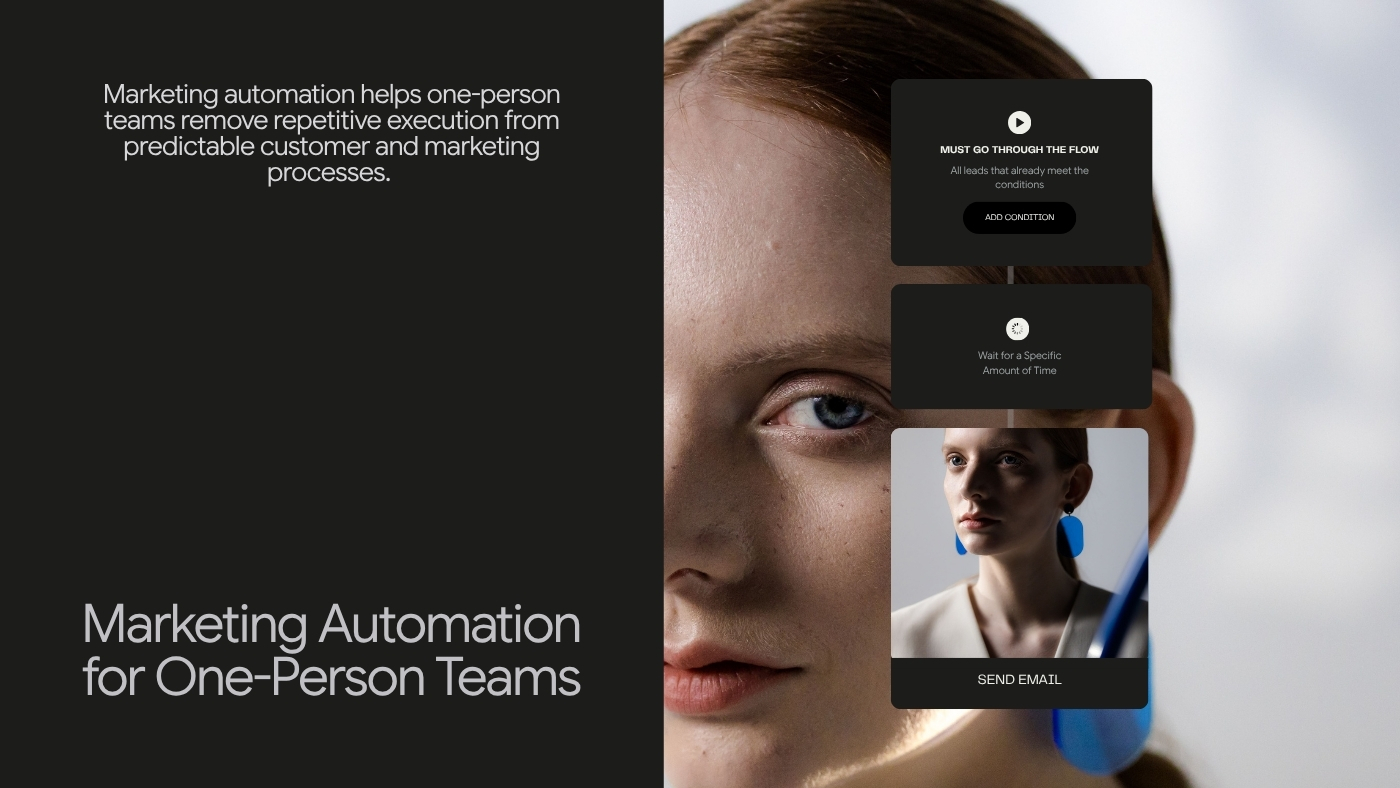


Marketing Automation for One-Person Teams

Marketing automation helps solo business owners save time by automating repetitive tasks like lead capture, resource delivery, and onboarding, while preserving judgment for key decisions.

Marketing Automation for One-Person Teams
Brandset TeamBrandset Team16 min de leitura

Marketing automation sounds more complicated than it needs to be. The phrase tends to evoke enterprise software, enormous workflow diagrams, lead-scoring models, integration projects, and marketing operations teams whose entire job is keeping the machinery running.

That's one version of automation. For a one-person business, the useful version is much simpler: when something predictable happens, the system handles the predictable response so you don't have to remember it every time. Someone submits a form. A promised resource needs to be delivered. A new subscriber needs orientation. A customer reaches a point where another message makes sense. A lead changes state. A repeatable follow-up needs to happen.

None of these situations requires automation because the business is large. They benefit from automation because the person running the business has limited attention. For a one-person team, that's often the real constraint.

In short:

  • Automation should replace repetition, not judgment: Sending a resource someone requested is repetitive. Deciding whether a lead is actually qualified requires judgment. Automation is strongest in the first category — and if you can't explain why a process should happen, you're not ready to automate it.

  • The best first automations are usually boring: Lead capture, resource delivery, welcome orientation, and customer onboarding solve things the business already does repeatedly. They're not glamorous, and they're where the real leverage is.

  • Every branch has a maintenance cost: A workflow that splits into multiple paths creates more logic, more content, more testing, and more ways for contacts to end up somewhere unexpected. Add a branch only when two groups genuinely need different treatment.

  • Automation should respect the current customer state, not just the moment it started: A prospect who enters a nurture sequence and then buys shouldn't keep receiving "still thinking about buying?" State management, not better copy, is usually the fix.

Marketing Automation Is a Way to Protect Attention

Imagine running a consulting business alone. During one week you might need to deliver client work, respond to inquiries, prepare proposals, publish something useful, send a newsletter, update the website, follow up with leads, onboard a new client, review invoices, and remember who downloaded which resource. None of these tasks is individually overwhelming. The problem is that they all belong to the same person.

Marketing automation is useful when it removes the need to manually execute tasks whose logic is already understood. "When someone requests this guide, send it" — you shouldn't need to notice the signup manually. "When someone becomes a customer, stop treating them like a prospect" — that state change shouldn't depend entirely on memory. "When someone submits this form, create the appropriate follow-up process" — the business owner should design the logic. The system should handle the repetition.

Automation Should Replace Repetition, Not Judgment

This distinction prevents a lot of bad automation. Some decisions are repetitive: send the requested resource, wait until a defined point, send an onboarding instruction, move someone through a configured process, perform the same administrative step after every signup. Other decisions require judgment: is this lead actually qualified, should we change our positioning, what does this customer need, should we make this offer, is this email useful enough to send?

Automation is strongest in the first category. AI can assist with parts of the second. Neither removes the need for the owner to understand the business. A good rule: if you cannot explain why the process should happen, you're not ready to automate it.

Start With the Process, Not the Automation Builder

Workflow software encourages people to think in nodes — trigger, wait, condition, branch, email, action — which makes it tempting to build before deciding what problem the automation is supposed to solve. Start somewhere else. Describe the manual process. For example: "Someone downloads our website checklist. I currently send the PDF manually, add them to my contacts, and sometimes remember to follow up a few days later."

Now there's a real automation opportunity. The process contains an event, a predictable response, a repeated administrative step, and a follow-up that currently depends on memory. That's much more useful than opening a workflow builder and asking "what can I automate?"

Before building a workflow, answer five questions: What happened (this defines the starting event)? What do we genuinely know (don't infer more intent than the event supports)? What should happen next (define the useful response)? What should prevent it (customers, unsubscribed contacts, people in another state, or other exclusions may need different treatment)? And when is the process complete (every automation needs a reason to stop)? These questions keep small workflows understandable.

How Marketing Automation Works

Most marketing workflows can be understood through a few building blocks.

Trigger

The trigger begins the process. Conceptual examples include a form submission, a signup, a relevant customer-state change, a purchase, or a tag or segment change. The exact triggers depend on the marketing platform and the data available to it. Choose triggers because the event deserves a predictable response, not simply because it can be tracked.

Conditions

Conditions add context. Suppose someone submits a consultation form — you might need to know whether they're already a customer, whether they meet a relevant criterion, or whether they've already completed the action this workflow exists to encourage. Conditions prevent the trigger from being interpreted blindly.

Actions

An action is what the system does next. Email is one possible action. Depending on the platform and workflow, other actions can organize or update information, coordinate another part of the customer journey, or continue the process. The important thing is that each action should have a reason. Automation complexity is not a goal.

Delays

Some responses should be immediate. Others shouldn't. Delivering something someone requested should generally happen promptly. Sending another marketing message immediately afterward may not. Delays allow the workflow to match the real pace of the customer journey. There's no universal "wait two days" — use timing that makes sense for the event.

Exit

An automation should know when its job is finished. This is one of the most important design decisions. Imagine a workflow encouraging someone to register for an event — they register after the first message, and the automation shouldn't continue reminding them to register. The customer's state changed. Before publishing a workflow, ask: what makes the remaining steps unnecessary? That answer becomes part of the automation architecture.

The Best First Automations Are Usually Boring

People often associate automation with sophisticated behavioral funnels. The highest-value starting points are usually less glamorous — they solve things the business already does repeatedly.

Lead capture and routing

Someone submits a form. At minimum, the business needs to avoid losing the lead — capturing the contact, preserving why they submitted it, sending an acknowledgement, and creating the right follow-up process. The exact workflow depends on the form: a newsletter signup shouldn't behave like a consultation request, a support request shouldn't behave like a sales lead, and a lead-magnet download shouldn't automatically be treated as a high-intent opportunity. The trigger is only the beginning.

Resource delivery

This is one of the clearest automation cases. Someone asks for a guide, template, checklist, report, or download — the system delivers it, with no manual intervention necessary for a repeatable digital resource. Then decide whether additional marketing communication is appropriate based on what the signup experience actually promised. Delivering what someone requested and enrolling them in an unrelated promotional sequence are not the same thing.

Welcome and orientation

Someone joins an ongoing email relationship. A welcome workflow can help answer what they signed up for, who's sending the emails, what they should expect, and what they should do next. This may require one email or several — the correct number follows the relationship, not a universal formula. A simple newsletter may need just one welcome email covering expectations and best resources. A software product may need one for welcome and first step, one for setup help, and one to introduce a useful capability.

Customer onboarding

A customer often needs more communication immediately after buying than immediately before — confirmation, access, instructions, next steps, education, support, a check-in. Automation makes sure every customer receives the same necessary foundation without requiring the owner to rebuild the process manually after every sale. This is especially useful for small teams because onboarding is easy to neglect during busy periods. The best onboarding automation doesn't simply send more email. It helps customers progress.

Event communication

Events have predictable moments — registration, confirmation, preparation, reminder, attendance, follow-up — which makes them a natural automation candidate: registration → confirmation → preparation information → reminder → relevant follow-up. Someone who already registered shouldn't keep receiving the acquisition campaign for the event. Customer state matters here too.

Relevant lead follow-up

This is where automation requires more restraint. A meaningful action can justify a follow-up, but not every tracked behavior means "sales opportunity." A click is evidence. A page visit is evidence. A form submission is stronger evidence. A direct request may be stronger still. Avoid building workflows that turn every small behavior into aggressive sales communication. Instead ask: does this event change what would be useful to this person? If yes, automation may help.

Customer feedback

Some businesses repeatedly need feedback after meaningful customer moments — completion of a project, delivery of a product, use of a service, participation in an event. A workflow can make feedback requests more consistent. Timing matters — ask after there's been enough experience to evaluate, and don't ask for feedback merely because the CRM has a field waiting to be filled.

What Not to Automate First

Small businesses can waste enormous amounts of time automating things that shouldn't be automated yet. An unstable process — if the workflow changes every week, automate later; you're still learning how it should work. A rare process — if something happens twice a year, manual handling may be simpler, since automation has its own setup and maintenance cost. High-stakes judgment — legal decisions, complex customer problems, sensitive negotiations, unusual pricing situations, serious complaints; automation can assist the process, but it shouldn't blindly replace judgment. Poorly understood customer behavior — don't create "viewed page → aggressive sales sequence" simply because the event is measurable; understand what the behavior means first. And bad communication — automation doesn't make weak email useful. It only sends weak email more consistently.

The Danger of Over-Automating a Small Business

Automation feels productive because every new workflow looks like infrastructure. But every workflow creates future work — someone has to maintain the logic, emails, links, offers, conditions, timing, products, prices, destinations, and customer states. A workflow built today can become wrong six months from now. That makes automation debt real. A useful rule: build the smallest workflow that reliably solves the problem. You can expand it later.

Every branch has a cost too. A trigger that splits into Path A and Path B, each with its own further checks, can be appropriate — it can also become impossible to reason about quickly. Every branch adds more logic, more content, more testing, more edge cases, and more ways for contacts to end up somewhere unexpected. Before adding a branch, ask: would these two groups genuinely benefit from different treatment? If not, keep one path. Personalization is valuable when the difference matters.

Do Not Build Important Automation Around Opens

Open data has substantial limitations. Apple's Mail Privacy Protection can load remote email content in the background, which affects conventional open tracking — meaning workflow logic such as "if opened → Path A, if not opened → Path B" can rest on an unreliable signal. Prefer deliberate actions when available: clicks with meaningful context, form submissions, purchases, registrations, explicit choices, account events, customer-state changes. An open can provide directional information. It shouldn't be treated as proof that someone read, understood, or wants something.

Automation Should Respect Permission

A workflow doesn't override subscriber choice. If someone unsubscribes from marketing communication, an old workflow shouldn't continue sending promotional messages simply because they entered it earlier. Likewise, a resource request shouldn't silently become permission for every marketing campaign the business wants to send. Automation works best when the system preserves context — what did this person request, what did they agree to receive, what's their current subscription state, what has changed since the workflow began? Permission is part of workflow logic.

Automation Should Reflect the Current Customer State

A common automation failure looks like this: a prospect enters a nurture sequence, then purchases, but the nurture sequence continues — and the new customer receives "Still thinking about buying?" That's not a copy problem. It's a state-management problem. The workflow was designed only around entry. Good automation also watches for transitions. Relevant customer states vary by business but might include subscriber, lead, qualified lead, customer, active customer, past customer, and unsubscribed. The important part is recognizing that customer context changes. Automation should be able to stop being relevant.

Marketing Automation Does Not Have to Feel Robotic

Automation becomes robotic when the communication ignores context, not because a computer sent it. "Hi Fabio, we noticed you clicked our pricing page three times today! Ready to buy?" may be automated and personalized. It's also uncomfortable. Compare that with "If you're comparing plans, this guide explains what each one is designed for." The second response uses context with more restraint. The goal isn't to prove the system observed the subscriber. It's to use available context when it genuinely improves the experience.

The Best Automation Often Feels Uneventful

A good workflow may simply mean the promised email arrived, the customer got the instructions they needed, the lead didn't get forgotten, the correct follow-up happened, the irrelevant campaign stopped, the subscriber could leave easily, and the owner didn't need to remember any of it manually. That's successful automation. It doesn't need to feel futuristic.

Automation Creates Capacity, Not Infinite Scale

A common promise around automation is "build it once and it works forever." That's not realistic. Automation reduces repetitive execution. It doesn't eliminate maintenance. You still need to review whether the process still makes sense, whether the emails are current, whether the links work, whether the offer has changed, whether the conditions reflect the current business, whether people are getting stuck, and whether two workflows are overlapping. The leverage comes from doing less repetitive work. Not from never touching the system again.

Review Automation Like Infrastructure

Set a recurring review process. It doesn't need to be elaborate. For each workflow, inspect the purpose (why does this automation exist?), entry (are the correct people entering?), volume (is entry volume roughly what you expect?), actions (are steps executing?), customer experience (does the sequence still make sense?), exits (are people leaving at the right point?), overlap (could another workflow be sending conflicting communication?), content (are messages, links, offers, and references current?), and outcome (is the process achieving what it was built to support?). Automation should be observable. Otherwise a broken workflow can quietly remain broken.

Measure the Outcome, Not the Number of Automations

Having 37 workflows is not a marketing accomplishment. Ask whether automation improved something real — lead response became more reliable, resource delivery became immediate, fewer contacts were forgotten, onboarding became more consistent, customers completed setup more often, event communication required less manual effort, the owner recovered time, fewer people received irrelevant messages, the business maintained marketing activity during busy periods. The appropriate metric depends on the process. The workflow is a means.

Marketing Automation and AI Are Different

The terms increasingly get mixed together. They solve different problems. Automation executes predefined logic — if X happens, do Y. AI can help interpret, generate, summarize, classify, or assist with tasks where the answer may not be entirely deterministic. They can work together: automation may determine when a step occurs, and AI may assist with what gets created inside that step. But using AI inside a workflow doesn't eliminate the need for guardrails. The higher the consequence of the decision, the more important human review becomes.

Build a Small Automation System Before Building a Complex One

A one-person business can begin with three processes. Capture — what happens when someone expresses interest? Continue — what happens after they subscribe, request something, or become a customer? Remember — which repeatable follow-ups shouldn't depend on the owner's memory? That alone can remove a surprising amount of operational friction.

Then observe the business. What's repeatedly falling through? What do customers keep waiting for? What does the owner repeatedly perform by hand? What depends on remembering the right moment? Those are candidates for the next workflow.

A Practical Automation Map

Before building anything, document: what recurring process are we automating (process)? What starts it (trigger)? What do we genuinely know (context)? Who should enter (eligibility)? Who shouldn't (exclusions)? What needs to happen (actions)? When should each step happen (timing)? What makes the process complete (exit)? Where does human judgment become necessary (human handoff)? How will we know this automation is useful (outcome)? Who checks whether it still works (owner)?

For a one-person team, the answer to the last question is usually obvious. That makes keeping the system understandable even more important.

Where Brandset Fits

The hardest part of marketing automation for small businesses is often not the workflow logic itself. It's the number of systems the workflow needs to connect — a landing page in one product, the form in another, contact information in a CRM, email somewhere else, brand guidelines in a document, automation in another tool trying to connect everything together. Every handoff creates configuration and maintenance work.

Brandset brings Landing Pages, Forms, CRM and lead management, Email Marketing, Workflows, Website Builder, and Brand Center into the same broader marketing environment. Brandset Workflows allow users to configure automation using concepts such as triggers, conditions, delays, and actions without requiring code. The Brand Center keeps shared information such as brand voice, positioning, audience context, products, services, colors, and typography closer to the marketing work. And because Forms, CRM, Email Marketing, and Workflows live inside the same broader platform, they can be connected through configured workflows without requiring the business to rebuild every customer journey across several unrelated products.

The value isn't automation for its own sake. It's reducing how many predictable marketing tasks depend on one person's memory. A one-person team still needs judgment. It still needs taste. It still needs customer understanding. It still needs decisions. Automation simply gives those decisions somewhere reliable to run.