
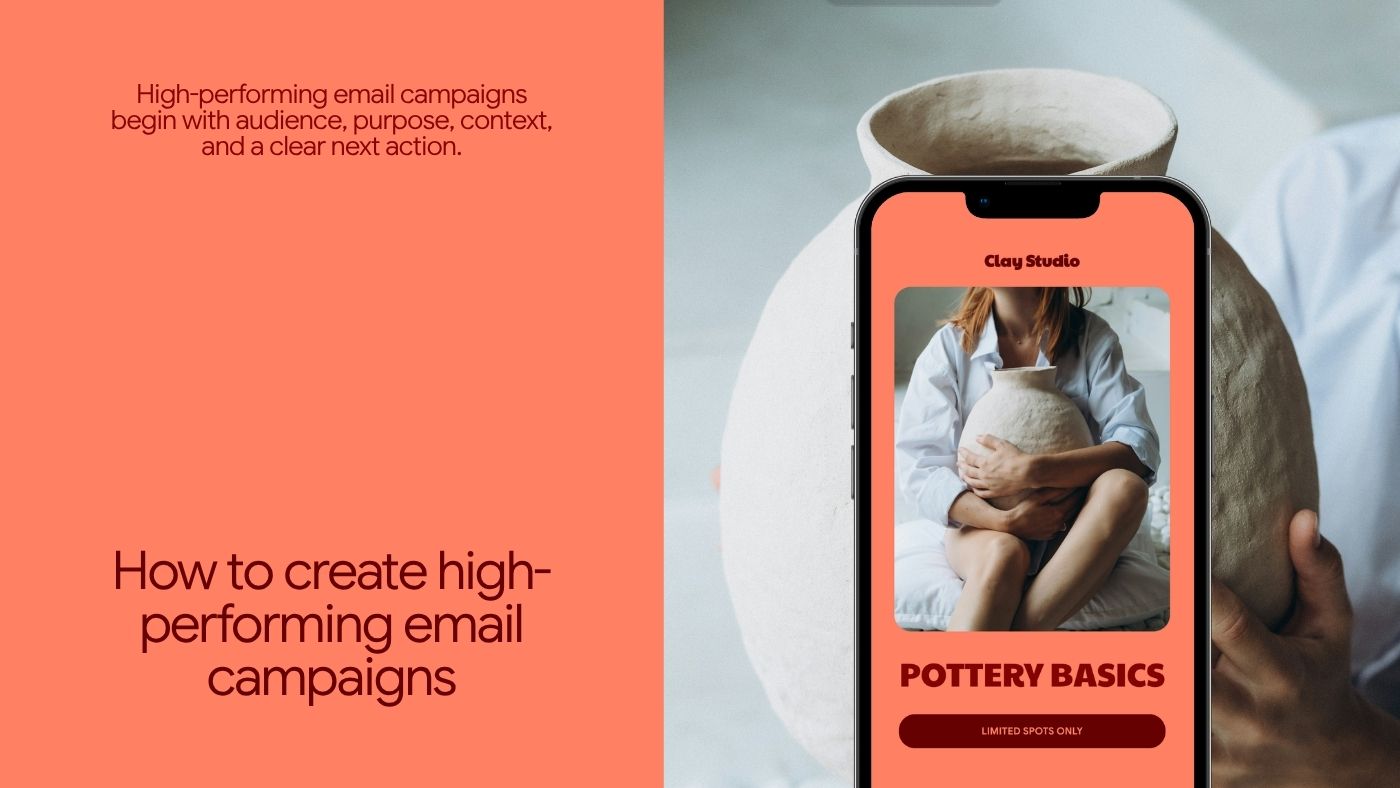


How to Create High-Performing Email Campaigns: A Complete Guide for Small Businesses

Learn how to plan, segment, write, design, and measure effective email campaigns for small businesses, focusing on strategy, relevance, deliverability, and post-send analysis.

How to Create High-Performing Email Campaigns: A Complete Guide for Small Businesses
Brandset TeamBrandset Team25 min de leitura

A good email campaign begins before anyone writes the subject line. It begins with a decision — who should receive this message, why should they receive it now, what should they understand after reading it, what should happen if they click, and what business outcome are you trying to influence.

When those questions have clear answers, copy, design, subject lines, and calls to action become easier to evaluate. Without them, a campaign can look polished and still accomplish very little.

An email campaign is a coordinated message sent to a defined audience for a specific purpose, with a clear path from the inbox to the action the business wants to support. That purpose might be to announce something, educate customers, generate registrations, introduce an offer, bring people back to a product, promote an event, or drive another measurable action. The strongest campaigns connect that purpose to the subscriber's context rather than treating the entire email list as one audience.

In short:

  • The campaign starts with a brief, not a template: Audience, purpose, primary action, reason to send now, and destination — answer these before opening the email editor, not after.

  • The destination matters as much as the inbox: McKinsey has long argued that email sits inside a broader customer journey — a strong email leading to a generic landing page wastes most of the work that happened in the inbox.

  • An event is evidence, not proof of intent: A pricing-page visit doesn't mean someone is ready to buy. Behavioral signals need interpretation before they become marketing decisions.

  • Open rate can no longer carry the weight it once did: Apple's Mail Privacy Protection distorts it, and Gmail itself says it doesn't track sender open rates. Weight clicks, conversions, and spam complaints more heavily.

Start With the Campaign Brief, Not the Email Editor

Opening the email builder too early encourages tactical decisions before strategic ones — you start choosing layouts, then images, then button colors, then a headline, and eventually someone asks what the email is actually trying to accomplish. Reverse that process. Before creating anything, write a short campaign brief answering five questions:

Question

What to define

Audience

Who should receive this — not "everyone on our list," but a specific group defined by something relevant to this message: new subscribers, existing customers, people interested in a particular service, leads from a specific resource, attendees from a previous event

Purpose

What should change because this email was sent — customers understand a feature, prospects request a consultation, subscribers register for an event

Primary action

What's the main thing someone can do after reading — secondary links can exist, but you should still know which action matters most

Reason to send now

Why this message belongs in the inbox at this particular moment — a launch, an opening registration, a useful update. "We haven't emailed the list recently" is operational context, not customer value

Destination

Where does the campaign send people — planned together with the email itself, not as an afterthought

McKinsey has long emphasized that email sits inside a broader customer journey and that marketers should pay attention to what happens after the click rather than treating the email itself as the entire interaction. This is one of the most important campaign disciplines — a strong email leading to a generic or confusing destination can waste much of the work that happened in the inbox.

Audience Comes Before Copy

The same email can be highly relevant to one group and completely unnecessary to another. Suppose a software company launches a feature designed for agencies managing several client brands. Sending the campaign to agency customers already using multi-brand functionality creates a different communication problem than sending it to every contact in the database. The first audience already provides context — the copy can speak directly to the work those customers are doing. The second requires the message to stay broad enough to avoid confusing everyone else.

This is why segmentation often improves campaign quality before a single word gets rewritten. McKinsey describes effective personalization as a process of combining customer information and journey context, listening for meaningful customer signals, and responding with relevant communication. For small businesses, segmentation doesn't need to become complicated — start with differences that genuinely change the usefulness of the message.

Four dimensions cover most of what's useful:

Dimension

Answers

Examples

Relationship stage

Where are they in the relationship?

New subscriber, prospect, active lead, customer, repeat customer, past customer

Interest

What have they shown interest in?

Website design, email marketing, a specific product category, a resource they requested

Profile / customer type

What kind of account or person is this?

Industry, role, location, account type, business size

Source

How did the relationship begin?

Webinar signup vs. product waitlist — different context, different expectations

The test for any segment is simple: would this information cause us to communicate differently? If the answer is no, creating another segment probably adds complexity without adding relevance.

Behavior Is Useful Context, Not Proof of Intent

Behavioral segmentation can become powerful very quickly — someone clicked an article, visited a page, downloaded something, submitted a form, purchased a product. Those are observable events. The mistake is turning each event into a confident psychological conclusion. A pricing-page visit doesn't necessarily mean someone is ready to purchase. A click doesn't prove strong commercial intent. A content download doesn't automatically justify a sales sequence.

McKinsey's personalization framework treats customer activities as signals that businesses can evaluate and respond to — the important step is the evaluation. Signals need interpretation before they become marketing decisions. Think in patterns instead: a person who downloaded a product guide, clicked a related campaign, returned to pricing, and submitted a consultation form has provided far more context than someone who visited pricing once. Your campaign strategy should reflect that difference.

Permission Is Part of Campaign Performance

Campaign performance begins with who is on the list. Gmail's sender guidance tells businesses to send subscription email to people who opted in, avoid purchased addresses, make unsubscribe easy, and monitor recipient feedback — relevant to both compliance and performance. A list full of people who don't remember subscribing creates a different campaign problem than an audience that deliberately requested the communication.

Before optimizing subject lines, ask how these people got here, what they agreed to receive, whether the current campaign matches that expectation, and whether the sender would be recognizable to them. Permission isn't simply a form checkbox. It establishes the context in which every future campaign is interpreted.

Define the Offer Before Writing the Message

A campaign usually asks the subscriber to pay something — sometimes money, sometimes attention, sometimes the effort required to click, read, compare, register, or reply. The offer needs to justify that cost. A promotional campaign might offer "20% off annual plans through Friday." An educational campaign might offer "a practical checklist for diagnosing email authentication problems." A product campaign might offer "a faster way to create landing pages for multiple client campaigns."

Specificity gives the writer something concrete to communicate. Without it, campaigns drift toward generic language — "exciting news," "something special for you," "unlock your potential." The problem is rarely grammar. The reader simply doesn't know enough yet.

The Subject Line Sets an Expectation

"The subject line has one job: get the open" is common email advice. It's incomplete. A subject line also establishes an expectation about what the subscriber will find after opening. A subject line like "Your discount ends tonight" may generate curiosity or urgency — if the email contains no meaningful deadline, the campaign has earned attention by creating a false expectation. That damages the relationship even if the open rate improves.

A better subject line balances relevance, clarity, specificity, curiosity where appropriate, and consistency with the email itself. Forbes Advisor recommends testing subject lines against your own audience rather than relying on one supposed universal formula. There's no dependable rule saying every subject line should contain a particular number of characters — inbox display length varies across clients and devices. Write so the important idea appears early and still makes sense when partially truncated.

Consider a campaign announcing a workshop for freelance designers. "Big news!" tells the reader nothing. "Free workshop: pricing freelance projects" gives them information they can use to decide whether the email deserves attention. That doesn't mean every subject line must be literal — curiosity can work when it comes from a genuine information gap, like "The pricing mistake we see most often," as long as the email actually discusses that mistake. The subject line should earn the open without misleading the person who gives it.

Preview text deserves the same care. Many inboxes display it beside or beneath the subject line, and Forbes Advisor describes it as a second opportunity to give recipients a reason to open — not something to waste on "View this email in your browser." If the subject is "Free workshop: pricing freelance projects," the preview can add "Build a rate floor, compare pricing models, and know when to raise your price," compounding the value visible before anyone opens anything.

The sender name matters too. Subscribers don't evaluate a subject line in isolation — they also see who sent it. For many small businesses, a recognizable brand name is the clearest choice; for founder-led communication, a combination like "Fábio from Brandset" can work. The FTC requires commercial messages to use accurate header information and prohibits deceptive subject lines. Trust begins before the email is opened.

Write the Email Itself for Someone Skimming

A common marketing email opens with "We hope this email finds you well. Here at Company X, our team has been working hard behind the scenes..." — the reader still doesn't know what happened. Compare that with "You can now send invoices directly from your project dashboard" or "Registration for our September workshop is open." Useful information appears immediately. Long emails, narrative emails, founder letters, and editorial newsletters can all work — the opening still needs to create a reason to continue.

"One email, one idea" is more useful than "one email, one link." A newsletter may contain several links; a product update may need documentation, support, and account links. But the recipient should still be able to answer: what is this email about? A campaign becomes harder to understand when several unrelated messages — a new product, an upcoming webinar, a referral program, a holiday sale — all compete for equal importance in the same send. The problem isn't the number of links. It's the absence of hierarchy. Choose the main message; everything else should either support it or move to another communication.

People don't need to read every sentence for an email to work. The structure should let them identify what happened, why it matters, and what to do — descriptive headings when the email is long enough to need them, short paragraphs, clear spacing, meaningful link text, visible CTAs, and bullets when the information is genuinely listable. Don't turn every sentence into a fragment simply to make the email look "scannable." Readable prose is still valuable. The goal is hierarchy, not a collection of slogans.

Calls to Action Should Explain the Action

Compare "Submit" with "Reserve my seat." Or "Learn more" with "See the pricing guide." Or "Click here" with "View the new templates." Specific CTA language reduces uncertainty about what happens next. For a focused campaign, identify one primary CTA — you can repeat it when the email is long enough to justify another opportunity to act. A campaign doesn't become clearer simply because it contains exactly one button. The important question is whether several competing actions are asking the recipient to make different decisions.

The Landing Page and Form Are Part of the Campaign

The campaign doesn't end at the click. Suppose the email says "Get the Freelancer Pricing Workbook" and the button sends the subscriber to the general homepage — now they have to find the workbook themselves. Or the campaign announces "Save 20% on the annual plan" and the landing page contains no reference to the offer at all. The subscriber has to determine whether the email was accurate. McKinsey has specifically argued that marketers should focus on the customer journey beyond the email click and connect campaigns to relevant destination experiences — the destination should preserve the offer, the terminology, the visual identity, the intended action, and any legitimate conditions. A campaign and its landing page are two parts of the same conversion path.

If the campaign sends someone to a form, include the form in campaign QA. Does it work? Does it ask only for information the business actually needs? Does the button describe what happens? Does the confirmation make sense? Does the lead reach the correct place, and does the promised resource actually arrive? A campaign can show excellent clicks while the form quietly destroys the actual conversion — click-through rate alone won't tell you that. Test the complete path, not just the email.

Design, Accessibility, and Mobile Are Basic Quality Control

Email design has a job: making information easier to understand and actions easier to identify. Visual hierarchy establishes what's most important, which information belongs together, and where the primary action sits. Brand design helps the message feel recognizable, but decorative complexity can work against the campaign when it competes with the content. Start with communication, then design around it.

Important information shouldn't exist only inside an image — images can be blocked, fail to load, or be inaccessible to someone using assistive technology. The W3C recommends providing appropriate text alternatives for meaningful images and avoiding images of text when actual text can serve the same purpose. For email campaigns specifically: keep important copy as live text where possible, provide meaningful alt text for informative images, use empty alt attributes for purely decorative imagery, avoid putting the entire message inside one graphic, and make links and buttons understandable without relying only on color. Brand colors don't automatically produce accessible combinations either — a light brand color behind white text may look beautiful in a design tool and become difficult to read in an inbox. W3C accessibility guidance emphasizes sufficient contrast between foreground text and backgrounds. Check body text, button text, text placed over images, and links specifically.

A significant share of email is consumed on phones, though the exact proportion varies by audience and measurement method — you don't need a universal statistic to justify responsive design. Test the email on a narrow screen directly. Can someone read the text without zooming? Can they tap the primary action easily? Does a wide image destroy the layout? Does the hierarchy still make sense? Responsive design is basic campaign quality control, not an advanced optimization.

There Is No Universal Best Send Time

Tuesday at 10 AM, Wednesday at 2 PM, Thursday morning — email marketing advice has produced endless variations of the "best" time to send. The problem is that your audience has its own behavior. A restaurant sending a lunch promotion has a different timing problem than a B2B consultancy publishing a monthly analysis. Use broad research as a starting hypothesis if useful, then learn from your own audience. The better question is: when is this message useful to these specific recipients?

Consistency creates its own value — if you promise "one email every Friday," subscribers understand the relationship, and that recognition helps every subsequent send. But consistency shouldn't force the business to send low-value email simply because a calendar reminder appeared. Google advises senders to set clear frequency expectations and send messages recipients actually want. A useful campaign beats a mechanically consistent irrelevant one.

Frequency also becomes a system-level issue as email programs grow. Different subscribers may reasonably receive different frequencies — a customer actively onboarding can handle several useful messages in a short period, while a prospect on an occasional educational newsletter needs far less. A subscriber enrolled in a campaign sequence shouldn't accidentally receive several unrelated promotions at the same time. Look at the recipient's total experience rather than evaluating each campaign calendar in isolation.

Six Campaign Types and What Makes Each One Work

Not every campaign should follow the same structure. Six types cover most of what small businesses actually need to send:

Type

What makes it work

Common failure

Newsletter

A repeatable editorial promise — one practical lesson, curated opportunities, product education

Existing only because "we should email regularly," with no reason for the reader to expect value

Promotional

Clear commercial terms — what's available, who it's for, what it costs, what's different

Manufacturing urgency that doesn't exist; the FTC requires truthful, non-deceptive claims

Launch

A distinct role for each email across the sequence — announcement, availability, education, proof, closing

Sending the same announcement five times with increasingly dramatic subject lines

Event

Operational clarity — what, who, when, timezone, format, what to expect, registration action

Generic reminders ("Reminder!") instead of useful context ("Bring one landing page you'd like to improve")

Educational

Connects knowledge to a real problem the audience actually has

Hiding the fact that a business exists behind the content

Re-engagement

Asks directly whether the subscriber still wants the communication

Building a universal rule like "no opens in 90 days = remove" — Apple's Mail Privacy Protection makes opens too noisy a basis for that decision on their own

For re-engagement specifically: clicks, purchases, form activity, and other signals usually provide better context than open data alone. Gmail specifically recommends periodically confirming that recipients still want subscription email and making it easy to leave the list. The goal isn't forcing dormant subscribers to open something — it's maintaining a list of people for whom the communication remains genuinely appropriate.

Campaigns and Automations Solve Different Problems

A campaign is generally a deliberate communication sent to an audience around a particular purpose or moment. Automation uses predefined logic to handle repeatable customer situations. A weekly newsletter is a campaign. A product launch announcement is a campaign. A welcome sequence triggered by signup is automation. A resource-delivery message triggered by a form is automation.

Some marketing programs blur the boundary, particularly when scheduled campaigns use dynamic segments. The distinction stays useful because the operating model differs — campaigns require recurring editorial decisions, while automations require system design, triggers, exclusions, stop conditions, and ongoing maintenance. Use each for the job it handles well.

Personalization Should Improve Relevance, Not Just Demonstrate Data

Personalization can mean many things — a first name, a preferred product category, customer-specific content, an offer that changes by lifecycle stage, a response to behavior. The deeper forms depend on good customer context. McKinsey defines personalization as tailoring communications using customer data and emphasizes behavioral signals, timing, and journey context. Harvard Business Review has also highlighted the tension between customers wanting relevant experiences and being uncomfortable with opaque or excessive uses of personal data.

Before personalizing anything, ask why you know this, whether the customer would reasonably expect you to use it this way, and whether it actually improves the message. Personalization should make the campaign more useful. It shouldn't just demonstrate how much the business has managed to track.

A/B Testing Should Answer a Specific Question

A/B testing is valuable when you know what you're trying to learn. "Let's test two random subject lines" is a weak test. "Does a subject line naming the specific benefit produce more meaningful engagement than one emphasizing the event format?" is a better one — the result can actually influence future campaigns. Useful variables include subject line framing, preview text, offer, CTA wording, email length, content hierarchy, creative treatment, and landing page. Avoid changing five variables simultaneously and calling the result an A/B test — you'll know which version won, but you may have no idea why.

Small lists need extra caution with results. A 55% result versus 45% can look decisive, but if only a small number of recipients saw each version, randomness may explain much of the difference. For small lists, tracking patterns across several campaigns is often more valuable than obsessing over one test's tiny margin. Combine quantitative results with an understanding of the audience and offer — testing should improve judgment, not replace it.

Deliverability Is Part of Campaign Strategy, Not a Separate Concern

A beautifully written campaign can't perform if mailbox providers reject it or recipients consistently classify it as unwanted. Gmail requires senders to meet authentication, DNS, transport, message-formatting, and spam-related requirements, with higher-volume senders facing additional requirements including SPF, DKIM, DMARC, alignment, and one-click unsubscribe. Campaign teams should understand the basics: SPF helps identify systems authorized to send mail for a domain, DKIM provides a cryptographic signature receivers can verify, and DMARC connects domain authentication with the visible From domain through alignment while letting domain owners publish a policy for handling failures. None of these guarantee inbox placement — they're part of legitimate email infrastructure.

Email folklore contains endless lists of words supposedly guaranteed to send a message to spam. Mailbox filtering is more sophisticated than a static forbidden-vocabulary list. Google's sender guidance focuses on authentication, sender identity, consent, recipient feedback, sending behavior, and spam complaints — not banned words. That doesn't make copy irrelevant; misleading subject lines, deceptive urgency, and aggressive promotional language can still create a bad recipient experience. But replacing "free" with an awkward synonym won't repair a poor sending reputation or an unconsented list. Prioritize the real system.

Spam complaints deserve more attention than open rate typically gets, precisely because they have direct implications for sender health. Gmail tells senders to keep user-reported spam below 0.1% and avoid reaching 0.3% or higher — operational thresholds, not goals to approach. If a campaign creates an unusual increase in complaints, investigate whether the audience was appropriate, whether people expected the message, whether the sender was recognizable, and whether unsubscribe was easy. A campaign can generate short-term clicks while damaging future inbox placement, and that tradeoff matters. Making unsubscribe genuinely easy is part of the same discipline — Gmail requires one-click unsubscribe for qualifying bulk senders, and the FTC's CAN-SPAM rules require commercial email to provide an opt-out mechanism and honor requests. Hiding unsubscribe doesn't preserve a valuable subscriber. It just turns an unsubscribe into a spam complaint instead.

Measure Campaigns at Three Levels

Open rate still appears prominently in most dashboards, but interpret it carefully. Apple's Mail Privacy Protection limits tracking by privately loading remote content, and Gmail states outright that it doesn't track sender open rates and can't verify third-party open data. Avoid conclusions like "45% open rate means 45% of recipients read the email" — that's not what the measurement can reliably prove.

Click-through rate is more useful when the campaign's job is to move subscribers somewhere else, though it can't explain the entire experience on its own — a low CTR might mean a weak offer, the wrong audience, an unclear CTA, or simply that the email answered everything the reader needed without requiring a click. Click-to-open rate tries to isolate what happened after opening, but its denominator inherits the same measurement problems as open tracking — treat it as supporting context, not as a metric that should outrank conversions just because it looks more sophisticated. Conversion rate moves the analysis closer to why the campaign existed in the first place, whether that's registrations, trials, purchases, or qualified consultations — but even conversion needs context, since a campaign can generate many low-quality leads or fewer conversions with much larger customer value.

Attribution deserves particular caution. A subscriber might click a campaign, return three days later through Google, read reviews, visit pricing directly, talk to a colleague, and then buy through a bookmark — attribution systems can assign credit according to a model, but that doesn't mean the model reconstructed the customer's actual reasoning. Treat attributed revenue as useful evidence, not perfect causal truth, especially for educational and relationship-building campaigns whose contribution may only appear later.

A practical campaign report separates three layers:

Level

What it tracks

Delivery and audience health

Delivered messages, bounces, unsubscribes, spam complaints

Engagement

Intentional clicks, replies where measurable, relevant page activity

Business outcome

Signups, purchases, registrations, trials, qualified leads, booked calls, revenue

This gives the campaign a clearer story: did it reach the audience, did people engage, did the business outcome actually occur? And aggregate numbers can hide the more useful story underneath — if overall conversion was 3%, but existing customers converted at 8% while inactive subscribers converted at almost zero while generating most of the unsubscribes, the total number obscures three very different relationships. Segmentation matters after sending as much as before it. Use results to learn which audience found the message relevant, which source produced useful customers, and which segment shouldn't receive the next version.

If clicks are strong but conversions are weak, inspect the destination before touching the email. Is the landing page consistent with the campaign? Does it work on mobile? Does the form function? Did pricing change, or did the link send people to the wrong location? A campaign can do its job perfectly and still appear unsuccessful because something downstream failed — campaign analytics shouldn't end inside the email platform.

Pre-Send QA Checklist

Every campaign should go through a repeatable check before sending:

  • [ ] Audience — is this genuinely the right segment, with exclusions applied and unsubscribed contacts correctly excluded?

  • [ ] Sender — is the From name recognizable, and is the reply address correct?

  • [ ] Subject and preview — are they accurate, do they work together, and do they still make sense when truncated?

  • [ ] Content — is the main idea obvious, and are dates, prices, product names, and claims accurate?

  • [ ] Links — has every single link been clicked and verified, not assumed?

  • [ ] CTA — does the primary action lead to the correct destination?

  • [ ] Design — has it been tested on both desktop and mobile, checking hierarchy, contrast, images, and text alternatives?

  • [ ] Landing page — does it match the campaign, and does the form work with a functioning confirmation?

  • [ ] Tracking — can the intended action actually be measured?

  • [ ] Unsubscribe — does it work?

Ten minutes of systematic QA can prevent errors that no subject-line optimization can repair.

Create a Post-Campaign Review

Don't simply send, look at the dashboard once, and move on. Write down what you expected, what actually happened, where behavior differed from that assumption, which segment performed differently, what happened after clicks, and whether complaints or unsubscribes changed. Then decide what to repeat, what to test next, and what to stop doing. This turns campaign history into institutional knowledge. Without it, every campaign starts from memory.

That learning should feed back into the rest of the system. Suppose you discover that customers respond strongly to practical product education, new subscribers rarely respond to discounts immediately, one acquisition source produces far more qualified leads, or a certain campaign frequently produces unsubscribes from dormant contacts. Those observations can influence segmentation, automation, signup forms, website content, landing pages, and future campaigns. McKinsey describes sophisticated personalization as a feedback loop in which data, decisions, content, distribution, and measurement continuously inform one another. Small businesses don't need enterprise infrastructure to adopt the principle — they need a way to preserve what they learned.

The Infrastructure Behind the Campaign Matters

A campaign rarely lives entirely inside the email tool. The link goes to a website or landing page. A form may capture the lead. Contact information needs to reach the CRM. A follow-up process may begin. Analytics needs to record the result. Brand information needs to stay consistent across all of those surfaces. When those functions live in separate systems, the campaign also depends on the handoffs between them — and the email can be perfectly executed while the landing page uses an old offer, the form stops syncing, the lead enters the CRM without source information, or a follow-up workflow silently fails. Nobody notices until the campaign report looks wrong. Technology can't fix a weak campaign strategy. Fragmented technology can make good strategy harder to execute.

Where Brandset Fits

Brandset brings Email Marketing into the same broader environment as Landing Pages, Forms, CRM, Website Builder, Brand Center, lead management, and automation capabilities. That matters because campaign performance depends on more than the send itself — a campaign needs an audience, the click needs a destination, a form may need to capture the lead, and the CRM needs enough context to preserve the relationship. The Brand Center keeps information such as voice, positioning, audience context, products, services, colors, and typography closer to the work being created, reducing how much brand and customer context a small team has to reconstruct between separate marketing tools.

Brandset doesn't decide what your campaign should say. You still need to decide who should receive it, why the message matters, what the subscriber should understand, what action makes sense, what happens after the click, and which metric determines whether the campaign did its job. That's where high-performing email campaigns actually begin.

Start your 7-day free trial →

FAQ - Perguntas frequentes