
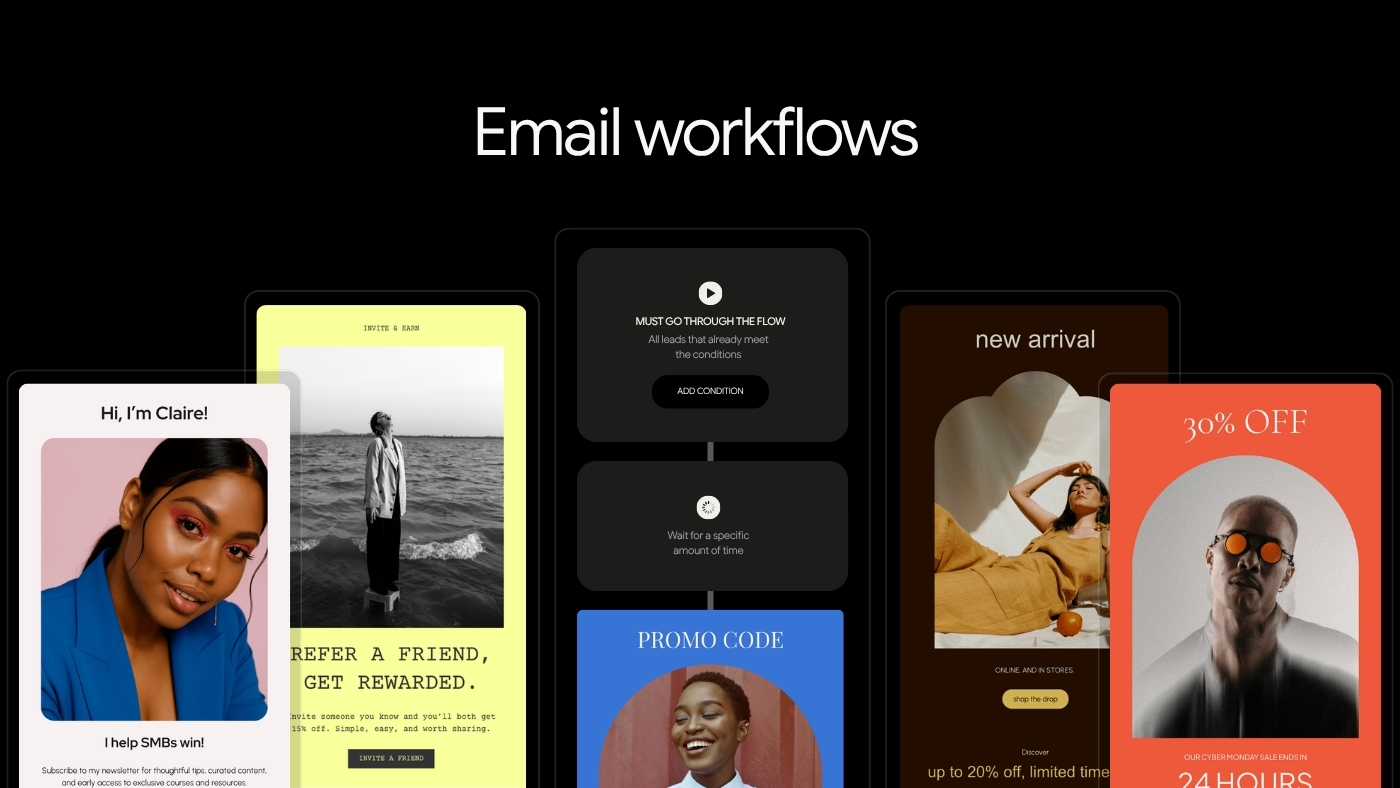

Email Workflows: How to Automate the Right Message at the Right Moment

Learn how to design effective email workflows that automate relevant messages based on customer actions, states, and context, improving engagement and avoiding common automation mistakes.

Email Workflows: How to Automate the Right Message at the Right Moment
Brandset TeamBrandset Team20 min de leitura

Most email marketing problems are not writing problems. They're context problems.

Someone who subscribed yesterday after downloading a guide is not in the same situation as a customer who has used your product for a year. Someone who registered for a workshop expects something different from someone who joined a weekly newsletter. Someone who already purchased shouldn't continue receiving a sequence designed to convince them to make that same purchase.

Yet many email programs flatten all of those situations into one list and solve the problem with campaigns: write email → choose audience → schedule send → repeat. Email workflows add another layer. Instead of asking only "what should we send this week?" they let you ask "what should happen when someone enters this particular situation?" That's the real purpose of email automation.

In short:

  • A trigger tells the workflow something happened. A condition gives it context: Two people can submit the same form for completely different reasons — one already a customer, one a new prospect. The trigger is identical. The right response often isn't.

  • Exit is the most important step and the easiest to forget: A sales nurture that keeps running after someone buys isn't automation — it's noise with good intentions.

  • Don't build decisive logic around opens: Apple's Mail Privacy Protection inflates them, and Gmail itself says it can't verify third-party open data. Branch on clicks, purchases, and other deliberate actions instead.

  • Every branch is maintenance work, not just sophistication: Before adding a path, ask whether the difference will actually change what you communicate. If not, keep it simple.

What Is an Email Workflow?

An email workflow is an automated process that uses defined triggers, rules, timing, and actions to determine what should happen next for a contact. Email may be one action inside the workflow. It doesn't have to be the entire workflow.

A simple example: someone submits a form → wait → send a relevant email. A more sophisticated workflow might look like: someone requests a resource → deliver it → wait → evaluate a relevant condition → choose the appropriate follow-up → stop when the intended outcome occurs. The important shift is from scheduled broadcasting to state-based communication — the workflow responds to something that happened or something that's true about the contact.

Campaign, Sequence, and Workflow Are Not the Same Thing

These terms are often used interchangeably. They describe different things.

A campaign is typically a message sent to a selected audience at a particular time — "send Tuesday's newsletter to subscribers," "announce the new feature to customers." The business determines when the send occurs. A sequence is an ordered series of communications that begins when someone enters it — email 1 → wait 2 days → email 2 → wait 3 days → email 3 — where everyone follows essentially the same path. A workflow adds logic around the sequence, determining who enters, whether someone should enter at all, what happens next, whether to wait, which path applies, when an action should occur, and when the workflow should stop. A sequence can be part of a workflow. The workflow is the larger system.

The Building Blocks of an Email Workflow

Most useful workflows can be understood through five components: trigger → conditions → actions → delays → exit. You don't need complicated automation to benefit from this structure. Understanding the components is more important than building a giant diagram.

Trigger

Defines the event or state that allows someone to enter — submitting a particular form, joining a particular audience, receiving a relevant tag, becoming a customer, requesting a resource. A good trigger represents something meaningful. Weak automation begins with "we have this data, so let's trigger something from it." Better automation begins with "something meaningful has changed in this person's relationship with us — is there a useful response?" That distinction prevents automation from becoming noise.

Conditions

Give the trigger context. Suppose two people submit the same form — one is already a customer, the other is a new prospect. The trigger is identical. The appropriate follow-up may not be. Conditions distinguish situations like whether this contact is already a customer, whether they belong to the relevant segment, or whether the intended outcome already happened. The purpose isn't building the most elaborate decision tree possible. It's avoiding communication that no longer makes sense.

Actions

Are what the system does. Sending an email is the obvious example, but depending on the platform, actions may also update or organize customer information, change a contact state, or coordinate another part of the marketing process. A workflow might conceptually do more than "send email" — it might coordinate capture → organize → communicate → wait → evaluate → continue. This is where email automation begins to become marketing infrastructure rather than simply scheduled email.

Delays

Determine when the next step should happen. If someone requests a promised resource, prompt delivery makes sense. If you want to send another educational email, immediately following it with three more messages probably doesn't. A delay gives the customer time to read, click, use something, think, purchase, or respond. There's no universal "always wait two days" — a password reset has different urgency than an educational newsletter, and a webinar reminder has different timing than a six-month customer follow-up. The delay should reflect the real customer journey.

Exit

Is one of the most important parts of workflow design and one of the easiest to forget. Imagine a workflow whose purpose is to move someone toward purchasing a particular product. The person buys after email 2 — should they still receive emails 3, 4, and 5 telling them why they should buy? No. The customer changed state, and the workflow should recognize that. Before publishing any workflow, ask: what event makes the rest of this workflow irrelevant? Possible answers include a purchase, a registration, a completed action, a change in customer state, an unsubscribe, or movement into another journey. Workflows become much more useful when they understand not only how to begin but also when they no longer have a reason to continue.

Start With Customer States, Not Emails

One of the easiest ways to overcomplicate automation is to begin inside the workflow builder — you see triggers, branches, nodes, delays, actions, so you start connecting them. Instead, begin with the customer. Define the states that actually matter to the business: a visitor hasn't yet identified themselves, a subscriber has asked to continue hearing from you, an interested prospect has provided additional meaningful context, a qualified opportunity has taken an action that justifies a more specific conversation, a customer has purchased, an active customer is using or receiving the product, and a past or inactive customer represents a relationship that has changed.

Your business may have completely different states. That's fine. The point is that automation should reflect a real customer journey rather than an arbitrary collection of emails.

Behavior Is a Signal, Not a State of Mind

Behavioral automation is powerful because actions contain information — someone submitted a form, clicked something, purchased, registered. Those events can improve relevance. But behavior should be interpreted carefully. A click doesn't automatically mean "ready to buy." A pricing-page visit doesn't mean "wants a salesperson immediately." A download doesn't mean "send every sales email we have about this topic."

McKinsey's explanation of personalization illustrates the stronger model: customer signals become more useful when interpreted in combination with profile and journey context rather than treated as isolated events. Think in terms of evidence. One event may be weak. Several related events can provide stronger context.

Be Especially Careful With Opens

Many workflow tutorials still recommend logic such as "if opened → Path A, if not opened → Path B." That sounds sensible. The underlying data has significant limitations. Apple's Mail Privacy Protection can download remote content in the background independently of whether a person actually interacts with the email — because traditional open tracking commonly relies on remote content loading, some recorded opens don't correspond to deliberate human opens. Gmail also says it doesn't track sender open rates and cannot verify the accuracy of third-party open-rate reporting, explicitly warning that low open rates aren't necessarily an accurate indicator of deliverability or spam classification problems.

That makes open-based branching fragile. Prefer stronger signals when they're available: clicks with meaningful context, form submissions, registrations, purchases, explicit preferences, replies where relevant, and other deliberate customer actions. An open can contribute context. It should rarely carry an important workflow decision alone.

Four Email Workflows Worth Understanding

There are dozens of possible automations. Most small businesses don't need dozens on day one. Four patterns are particularly useful because they address common, repeatable customer moments.

1. The Welcome Workflow

The welcome workflow begins when someone intentionally joins an email relationship. Its purpose is orientation — the new subscriber may need to know what they subscribed to, who's sending these emails, what they'll receive, how often, and what they should do next. Forbes Advisor recommends welcome series as a practical starting point for small-business email automation, particularly because they establish context with new subscribers rather than leaving onboarding to whichever campaign happens to be sent next.

A welcome workflow doesn't need seven emails. It doesn't even need multiple emails in every situation — a simple newsletter may need one excellent welcome message, while a more complex business may benefit from several. Rather than starting with a fixed email count, think in four jobs: welcome (confirm the relationship, deliver anything promised, explain what happens next), orient (give the subscriber context about the business, product, or point of view), deliver value (show why staying subscribed may be useful, with actual substance rather than describing how useful future emails will be), and introduce a next step (read something, reply, explore a product, book, purchase, start a trial, or simply wait for the next newsletter). The correct sequence follows the relationship.

A worked example: imagine a consultant publishing a newsletter for independent financial advisors, with the signup promise "one practical analysis every Thursday on running a more efficient advisory practice." A useful workflow might look like:

Trigger: Subscriber joins through newsletter form
      ↓
Email 1: Welcome, explain what arrives every Thursday,
         share two strong past articles
      ↓
   (wait)
      ↓
Email 2: Introduce the consultant's perspective on the
         core problem the newsletter covers
      ↓
   (wait)
      ↓
Email 3: Share a practical framework
      ↓
Next state: Subscriber moves into the regular
            newsletter audience

Notice what's missing: seven arbitrary emails, daily messaging simply because the automation allows it, an immediate sales pitch unrelated to the signup promise, complex branching without a reason. The workflow serves the relationship it was designed for.

2. Lead Magnet Delivery

A lead magnet creates a particularly clear workflow. Someone asks for something. The first responsibility is to deliver it — form submitted → send the requested guide. After that, the business has a decision to make: what communication did the subscriber actually agree to? Google's subscription guidance recommends confirmed subscriptions and distinguishes subscription messages such as newsletters and marketing from transactional or user-requested messages. That distinction matters — delivering the file someone requested is not automatically permission to put them into every marketing workflow you have.

A stronger lead-magnet workflow: trigger (relevant resource form submitted) → deliver resource → wait → follow-up (help the subscriber use what they downloaded) → optional follow-up (closely related education) → relevant next step (introduce an offer when it logically follows from the original problem). This creates continuity. The resource should be the beginning of the conversation rather than bait used to start an unrelated sales sequence.

3. Nurture Workflow

"Nurture" is one of those marketing terms that can become vague enough to mean anything. A useful definition is simpler: a nurture workflow helps someone understand a problem, evaluate possible approaches, and determine whether your offer is an appropriate next step. It shouldn't be designed around "how many emails until we pitch?" Start with "what does this person still need to understand before they can make a reasonable decision?" A potential customer may need to understand the problem, why their current approach isn't working, possible alternatives, how your approach differs, evidence, pricing, risk, and what happens after purchase. Build communication around those questions.

Nurture length follows complexity. A $20 product and a $20,000 professional service don't require identical buying journeys, and neither does a familiar purchase versus an unfamiliar category. There's no universal "5 emails" or "7 emails." The workflow should be as long as the customer decision actually requires.

4. Email Course

An email course is different because the subscriber has explicitly joined an educational sequence, so the workflow can follow the learning structure: define the problem → teach the first concept → apply it → introduce the next concept → combine the pieces → define the next step. The order matters because later lessons build on earlier ones. The automation handles distribution. The instructional design creates the value.

An email course is a good workflow when the customer needs understanding before action. It's not automatically a better lead magnet than a checklist, webinar, or guide — use it when the subject genuinely benefits from progression.

Other Workflows Become Relevant as the Business Matures

Once the basics work, additional customer moments may justify automation, depending heavily on the business: customer onboarding (help someone move from purchase to successful first use), event communication (registration confirmation, preparation, reminders, follow-up), renewal or recurring-service communication (when the business model genuinely includes a recurring decision), feedback requests at an appropriate moment, re-engagement (when meaningful signs of inactivity accumulate), and post-purchase education. The important principle: build workflows around recurring customer situations, not around a checklist of automations every business supposedly needs.

Re-engagement in particular needs more than a "90-day" rule. A common automation recipe — no open for 90 days → re-engagement sequence — is too simplistic. Open data has measurement limitations, and inactivity depends on the business; a daily newsletter and a quarterly professional-services update can't use the same inactivity definition. Look at meaningful signals available to your program instead: clicks, purchases, account usage, registrations, replies, explicit preferences. Google recommends maintaining list quality, confirming that recipients still want subscription email, removing addresses with repeated bounces, and making unsubscribe easy. Define inactive according to your actual customer relationship rather than copying a universal number.

Personalization Should Improve Relevance, Not Demonstrate Surveillance

Workflows can make email feel more relevant because they can respond to information the business already has. That ability requires restraint. Harvard Business Review has highlighted the tension between consumers wanting relevant personalization and being uncomfortable with how companies collect and use personal data, recommending clear opt-in and privacy practices, human-centered communication, and continuous testing and learning.

Before using a signal, ask whether the subscriber would reasonably expect you to know this, whether they'd reasonably expect you to use it in this context, and whether it actually improves the message. A useful workflow should feel relevant. Not invasive.

Map the Journey Before Opening the Builder

Automation software makes it easy to draw workflows. That doesn't mean the workflow is well designed. Start outside the tool. Write down the entry (what happened), the state (what do we know at this point), the goal (what should this workflow help the person accomplish), the steps (what information or action is genuinely needed), the branches (which differences meaningfully change the journey), and the exit (when is this workflow finished). A simple map might look like:

Form submitted
      ↓
Deliver promised resource
      ↓
     Wait
      ↓
Send practical follow-up
      ↓
Did intended outcome occur?
   ↙                 ↘
 Yes                  No
  ↓                    ↓
Exit              Relevant follow-up

Only after the logic makes sense should you implement it.

Every Branch Creates Maintenance Work

Branching feels sophisticated. It also creates complexity. "If A → Path 1, if B → Path 2, if C → Path 3, if D → Path 4" — each path creates more emails, more conditions, more testing, more potential conflicts, more edge cases, and more content that eventually becomes outdated. The goal isn't maximum personalization. It's enough differentiation to materially improve the experience. Before adding a branch, ask: will this difference actually change what we should communicate? If the answer is no, keep the workflow simpler.

Negative Conditions Are Often More Important Than Positive Triggers

Marketing automation tends to focus on "when X happens, do Y." Also ask "when should Y specifically not happen?" Don't send an acquisition offer to someone who already purchased it. Don't keep promoting registration after someone has registered. Don't continue a promotional workflow after an unsubscribe. Don't allow overlapping workflows to bombard the same contact without considering frequency. A workflow can contain perfectly written emails and still create a poor customer experience if exclusions are missing.

Transactional and Marketing Messages Need Different Treatment

A receipt and a newsletter are not the same kind of email. Neither are a password reset, a purchase confirmation, a one-time code, a promotional campaign, and a weekly newsletter. Gmail explicitly distinguishes subscription messages, such as newsletters and marketing emails, from messages sent because of specific user actions or requirements, such as purchase receipts, password resets, and one-time passwords — and advises senders not to mix promotional content into transactional messages such as sales receipts. That distinction should exist in workflow design too. A customer waiting for an order confirmation shouldn't have to parse a sales campaign to find it.

Unsubscribe State Must Override Marketing Automation

Automation cannot become an excuse to ignore subscriber control. Gmail's subscription guidelines require correctly implemented one-click unsubscribe for subscription messages and say requests should be processed within 48 hours, requiring qualifying bulk marketing and subscription messages to include a clearly visible unsubscribe option. Your workflow design should have one foundational rule: a marketing automation should respect the contact's current subscription state. It shouldn't matter that the workflow began three weeks earlier. Current permission matters more than historical entry.

Deliverability Still Applies to Automated Email

An automated email is still email. Authentication and sender-quality requirements don't disappear because a workflow triggered it. For personal Gmail accounts, Google requires all senders to meet requirements covering SPF or DKIM, DNS, TLS, message formatting, and spam rates, with senders over the bulk threshold facing additional SPF, DKIM, DMARC, alignment, and unsubscribe requirements. Workflows shouldn't be evaluated only by whether the automation technically executed. Also ask: did the right person receive it, did they expect it, was unsubscribe respected, are complaints increasing, is the sending infrastructure healthy? Automation scales good decisions. It also scales bad ones.

How to Measure an Email Workflow

Don't judge workflows only by opens. Start with the job of the workflow. For a welcome workflow: did subscribers receive what was promised, do they continue into the intended relationship, are they clicking useful resources or taking relevant next steps? For a lead magnet: was the asset successfully delivered, did people use the next relevant resource or action? For nurture: are qualified contacts moving toward the intended decision, are sales conversations improving? For onboarding: are customers completing the steps necessary to succeed?

The workflow itself also needs operational metrics — entry volume, exit volume, errors, conversion by path, unsubscribe behavior, spam complaints, unexpected overlaps, and contacts stuck in a state longer than expected. The best workflow metric is often not an email metric at all. It's the customer outcome the workflow was built to support.

Debug the Workflow, Not Just the Copy

Suppose a nurture workflow converts poorly. The temptation is to rewrite email 3. Maybe email 3 is the problem. But investigate the whole system: are the wrong contacts entering (entry problem), are messages arriving at an inappropriate cadence (timing problem), does the workflow understand whether someone has already progressed (state problem), are people entering paths that don't reflect their situation (branch problem), does the automation keep running after its job is complete (exit problem), is the next step actually compelling (offer problem), does the landing page continue the email's promise (destination problem), are actions executing correctly (technical problem)? Copy is one component. Workflow performance depends on the architecture around it.

Common Workflow Mistakes

Several mistakes repeatedly make email automation less useful: automating before understanding the journey (if you can't explain the customer path manually, automating it won't create clarity), adding too many branches (complexity feels intelligent until nobody remembers why Path 7 exists), using opens as decisive behavioral data (privacy features make this particularly unreliable), forgetting exits (customers continue receiving irrelevant emails after converting), treating every behavior as buying intent (clicks and page visits are signals, not mind reading), sending too much too quickly (technical capability is not permission to dominate someone's inbox), building workflows nobody reviews (products, offers, pricing, links, and customer questions all change — automations need maintenance), and measuring email metrics instead of the customer outcome (a workflow can have strong opens and still fail at its actual job).

Start With One Workflow You Can Understand

Small businesses don't need a sophisticated automation architecture on day one. Start with a recurring customer moment that's easy to understand — often that's signup → welcome, or resource request → delivery → relevant follow-up. Forbes Advisor similarly recommends starting small with welcome automation and basic segmentation rather than waiting for a large database before organizing subscribers around useful context.

Build it. Test it. Watch real contacts move through it. Find edge cases. Improve the logic. Then add another workflow when another repeatable customer situation justifies one. A small set of reliable workflows is more valuable than an impressive automation canvas nobody fully understands.

A Practical Workflow Planning Template

Before implementing an automation, document these questions: What recurring customer situation does this address (name)? What causes someone to enter (trigger)? Who should and shouldn't enter (eligibility)? What do we genuinely know about them at this point (customer state)? What customer or business outcome should this support (goal)? What needs to happen (actions)? Where does the customer need time (delays)? Which differences genuinely require different treatment (conditions)? What should prevent communication (exclusions)? What makes the workflow complete (exit)? How will we know it worked (measurement)? Who reviews this workflow, and when (maintenance)?

If those questions can't be answered clearly, the automation probably isn't ready to build.

Where Brandset Fits

Email workflows become operationally harder when the information needed to run them is scattered across separate products — the form lives somewhere, contact information lives somewhere else, email runs from another system, brand context exists in documents, landing pages are managed separately, and automation has to coordinate the handoffs between all of it.

Brandset brings Forms, CRM and lead management, Email Marketing, Landing Pages, Brand Center, and Workflows into the same broader marketing environment. Brandset Workflows are built around visual automation logic — triggers, conditions, delays, and actions — allowing users to map a customer journey without writing code. The Brand Center keeps shared context such as voice, positioning, audience information, products, services, colors, and typography closer to the emails created inside that journey. And because Forms, CRM, Email Marketing, and Workflows live inside the same broader system, they can be connected through configured workflows without requiring the entire customer journey to be reconstructed across several unrelated marketing products.

The value isn't that automation makes marketing automatic. It doesn't. Someone still has to decide which customer moment matters, what the person needs, what the business should say, what signal deserves a response, which branch is actually necessary, and when the workflow should stop. Automation handles repetition. Judgment designs the journey.

Start your 7-day free trial →

FAQ - Perguntas frequentes