

10 CRM Automations for Small Businesses

Discover 10 practical CRM automations for small businesses to streamline lead management, task assignment, pipeline updates, and communication, reducing manual admin work.

10 CRM Automations for Small Businesses
Brandset TeamBrandset Team11 min de leitura

CRM automation is useful when the same administrative step happens every time a lead or customer does something predictable. A form is submitted, someone needs an owner. A consultation is booked, a task needs to appear. A proposal is accepted, the pipeline needs to reflect it.

Small businesses rarely struggle because they cannot define these processes. The problem is that the same person handling sales may also be delivering client work, answering customers, reviewing finances, and running marketing. Repetitive CRM maintenance competes with work that requires actual judgment.

The right automations keep customer records current and prepare the next action without trying to automate the conversation itself.

What CRM automation actually handles

CRM automation uses triggers, conditions, and actions to perform repeatable customer-management tasks.

A consultation form could start a process like this:

Consultation form submitted
        ↓
Create or update lead
        ↓
Record service interest
        ↓
Assign owner
        ↓
Create follow-up task
        ↓
Continue appropriate workflow

The visitor still receives human attention. The software handles the routine steps around it.

That distinction is especially useful for a small business. A CRM should make it easier to understand what happened, who is responsible, and what needs to happen next. If automation creates more fields, workflows, tags, and alerts for someone to maintain, it has probably added complexity instead of removing it.

10 CRM automations worth setting up

1. Create or update a lead when someone submits a form

A lead already entered their information digitally. Re-entering the same information into a CRM is unnecessary work.

Consider a bookkeeping firm with a consultation form. A business owner submits their name, company, email, service interest, and a short description of what they need. The CRM should preserve that information without someone copying it from a notification email.

The same principle applies when the person already exists. If a newsletter subscriber later requests bookkeeping help, the useful outcome is an updated relationship:

Existing subscriber → requested monthly bookkeeping consultation

Creating a second contact would split the context across two records.

Forms for estimates, consultations, property inquiries, trial classes, treatment inquiries, and other lead-generation activities are all good candidates for this type of automation.

2. Assign the right person when ownership follows a clear rule

A solo business does not need lead assignment. A three-person business often does.

An HVAC company, for example, may route residential replacements to one person and commercial service inquiries to another. A small agency may divide opportunities by service. A real estate team may assign leads by territory or property type.

These rules are straightforward enough to automate when the business already agrees on them.

The difficult cases should remain human decisions. If two partners regularly debate who should handle a certain type of project, automating that ambiguity will simply make the disagreement happen faster.

3. Create follow-up tasks for work that needs a person

Some of the best CRM automations end by creating human work.

Suppose a prospect submits:

We're evaluating a website rebuild for 15 locations and hope to launch this fall.

An automatic generic sales sequence may be a poor response. Creating a priority task for the right person is much more useful.

The task can preserve context such as the lead, service requested, due date, form submission, and reason the opportunity deserves attention. Whoever follows up starts with the information already organized.

This is particularly helpful in businesses where the owner is switching constantly between delivery and sales. The CRM becomes the place that remembers what needs attention when the owner is busy doing something else.

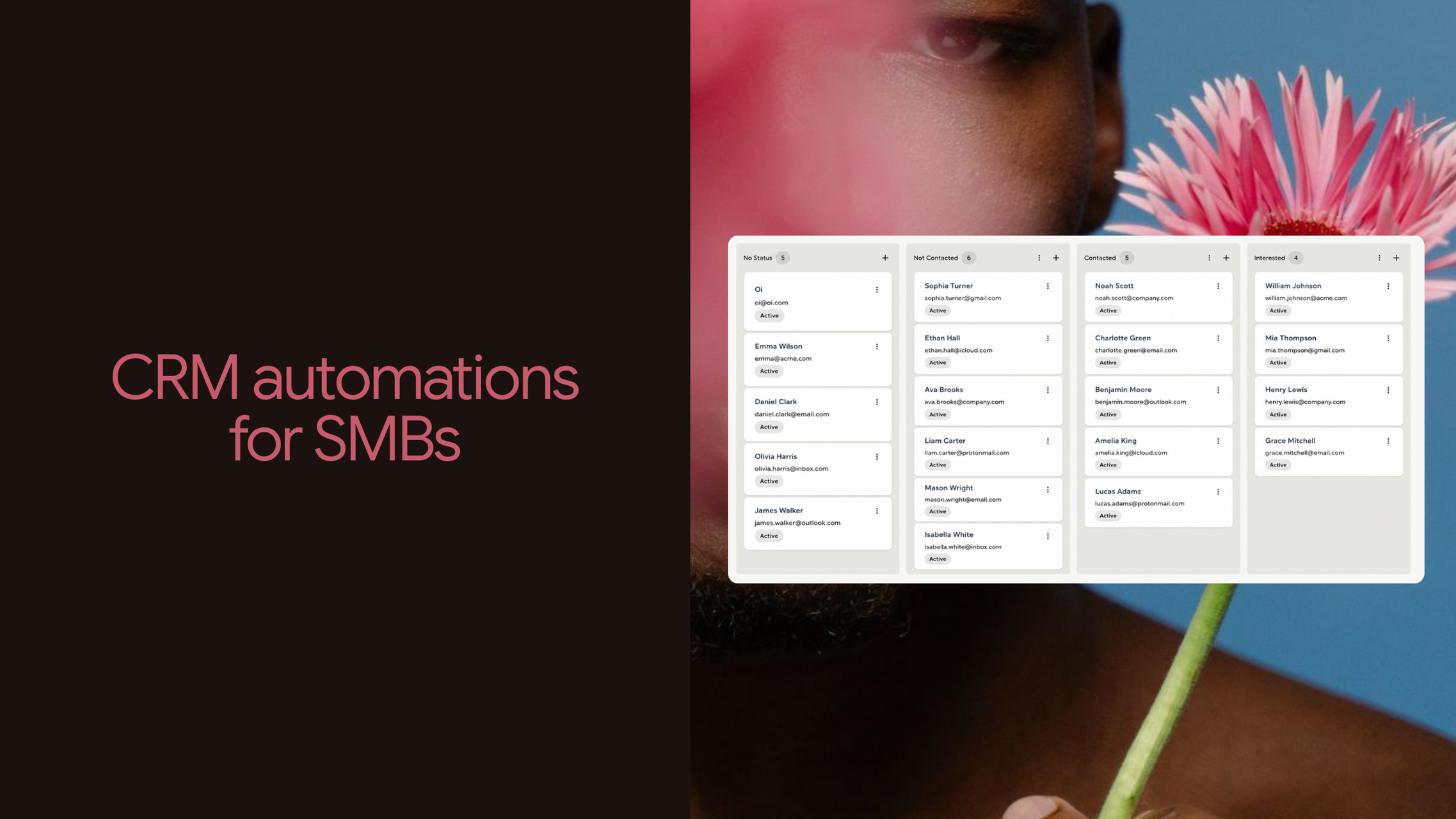
4. Move opportunities through the pipeline when the event is unambiguous

A pipeline becomes unreliable when stages depend on someone remembering to drag cards around.

Some transitions have a clear business meaning:

Consultation booked → meeting scheduled

Proposal sent → proposal stage

Proposal accepted → won

Project declined → lost

Those are reasonable automation points because something concrete happened.

A page view is different. Someone visiting pricing may deserve a higher interest score, but that does not necessarily make them a qualified opportunity. Likewise, an email open does not mean a prospect has moved forward in the sales process.

Pipeline stages should describe what is actually true about the relationship.

5. Let meaningful behavior influence lead scores

Lead scoring is useful when it helps decide which opportunities deserve attention first.

The signals differ by business. A dental practice might care about a consultation request related to a particular treatment. A real estate team may give more weight to a showing request than a neighborhood-guide download. An agency may care about service and pricing activity.

The weaker interactions should remain weak. One email open or a generic blog visit should not suddenly turn someone into a priority lead.

Scoring becomes operationally useful when a change affects what happens afterward. A strong score might put a lead higher in the queue, contribute to a priority segment, or create a reason for someone to review the opportunity.

If nobody changes what they do when the score changes, the number is mostly decoration.

6. Update service or topic interest as the relationship develops

A contact can be interested in several things over time.

Imagine someone enters a financial advisory firm's database through a general newsletter. Two months later they download a guide about import taxes, then submit an inquiry related to reducing import costs for their manufacturing company.

The CRM has learned something useful about the conversation that should happen next.

Recording interest automatically can help a business distinguish:

  • website redesign from SEO;

  • dental implants from general dentistry;

  • residential AC replacement from routine maintenance;

  • buying a home from selling one;

  • bookkeeping from tax preparation.

This information does not have to determine sales priority by itself. It gives the person following up a better understanding of why the lead is there.

7. Add and remove tags when they describe a useful state

Tags can be helpful shorthand:

  • Webinar attendee

  • Requested estimate

  • Existing customer

  • Interested in automation

  • Commercial account

They become less useful when nobody removes outdated ones or when every minor interaction creates another permanent label.

A prospect becoming a customer is a reasonable reason to remove a Prospect tag and add Customer. Requesting a specific guide may justify a topic-interest tag if the business actually uses it later.

A footer click probably does not deserve one.

Before automating a tag, ask how somebody will use it. If the answer is unclear, the underlying activity is often better left in the contact history or handled through dynamic segmentation.

8. Use dynamic segments instead of rebuilding lists

A segment is useful when membership should change as customer data changes.

Suppose a small agency wants an audience containing:

active prospects interested in email marketing who have reached a defined interest threshold

Manually maintaining that list would become outdated quickly. A rules-based segment can evaluate the current contact data whenever the audience is used.

Someone becomes a customer and no longer belongs in the prospect audience. Another lead becomes more engaged and qualifies. Someone else goes quiet and stops meeting the activity criteria.

A fitness studio could use the same idea for prospects interested in membership who have not yet become members. An accounting firm could separate current clients from businesses still evaluating monthly services.

Dynamic segmentation works best when the rules represent useful customer states rather than every possible behavior.

9. Move contacts between workflows when their situation changes

Automations become awkward when a contact's relationship changes but the old workflow continues.

A prospect may begin in a general nurture flow and later request a consultation. If they become a customer, sales messaging should give way to onboarding.

Conceptually:

General nurture
      ↓
Consultation requested
      ↓
Consultation follow-up
      ↓
Customer
      ↓
Onboarding

This prevents a familiar mistake: someone buys and still receives emails written for a person deciding whether to buy.

The same idea applies outside B2B sales. A trial-class prospect becomes a gym member. A dental inquiry becomes a patient. A homeowner accepts an estimate and becomes an active project.

Each change creates a different relationship with the business.

10. Keep subscription and communication status current

A CRM record can represent several communication preferences at once.

Someone might be:

  • an active customer;

  • subscribed to a newsletter;

  • receiving service updates;

  • unsubscribed from promotions.

Those states should not be collapsed into one generic field.

Automation can help maintain communication status when a customer intentionally changes preferences or when a configured customer process requires another supported state change. Explicit unsubscribe choices must remain authoritative. A workflow should never be used to re-enable promotional communication someone has chosen to stop.

For small businesses using email alongside CRM, keeping this information accurate prevents marketing automation from drifting away from the relationship the customer actually agreed to have.

What a connected CRM process looks like

These automations become more useful when several routine steps belong to the same process.

Consider an HVAC company receiving an AC replacement estimate request. The form can preserve the customer information and service interest, while the CRM identifies the appropriate owner, creates a follow-up task, and records the opportunity in the relevant stage. If the estimate is accepted later, the pipeline and customer state can change again and the prospect communication can end.

A dental practice might use a different version: treatment inquiry arrives, the relevant interest is recorded, administrative follow-up is created, and the contact remains in the appropriate communication path until the situation changes.

A small agency could have a longer sequence involving consultation, proposal, and onboarding.

The specific steps vary because the businesses operate differently. The useful pattern is that each clear event updates the same customer relationship instead of relying on somebody to recreate the context manually.

Where automation should stop

Sensitive or ambiguous decisions usually need a person.

Complex qualification is one example. A score can identify a lead worth reviewing without deciding whether an unusual project makes commercial sense. Pricing exceptions, negotiations, contract changes, serious complaints, and nuanced sales replies also depend heavily on context.

Weak signals should not produce major customer-state changes either. A prospect who stops clicking emails has not necessarily rejected the deal. A visitor who checks pricing has not necessarily become qualified.

Automation performs best when the business can explain the rule clearly before opening the workflow builder.

Choose the first CRM automation from work you already repeat

Review what happens after a new lead arrives. If someone consistently has to copy the same information, assign the same owner, create the same task, update the same field, or place the contact into the same process, there is probably an automation opportunity.

Lead intake is often the easiest place to begin because the event and required actions are visible. Lifecycle automation comes next once the business has clear events such as meetings booked, proposals accepted, customers acquired, or services requested. More elaborate scoring and branching can wait until enough real activity exists to show which distinctions are actually useful.

A small set of reliable workflows usually creates more value than a large automation system that nobody can comfortably explain.

A connected CRM is easier to automate

CRM automation becomes much harder when the information needed to make a decision lives somewhere else. A form knows what someone requested, a landing page knows which offer brought them in, an email platform has engagement information, and the CRM contains only the contact details.

Brandset brings CRM, Forms, Websites, Landing Pages, Email Marketing, segmentation, lead scoring, and Workflows into the same broader marketing environment. Its workflow capabilities include CRM actions for areas such as assigning owners, creating tasks, updating pipeline information, adjusting scores and interest levels, managing tags, moving contacts between workflows, and updating supported subscription states. The point is to let customer context remain useful as the relationship moves across marketing and CRM instead of rebuilding that context in separate tools.

A good first automation can be much smaller than that full picture. Look at the administrative steps that happen every time a lead arrives and automate the clearest one first. Once that process is reliable, the next repetitive step is usually easier to identify.

Start your 7-day free trial →